Articles / Guidesupdated for DaVinci Resolve 21.0 (June 2026)
DaVinci Resolve Learning Plan for a Full-Time Job
Quick answer
Budget 4 to 6 hours a week, not more, split into three or four sessions around a fixed daily window like lunch or the hour after dinner. Spend weeks 1 to 4 on Media, Edit, and Deliver only, add Color and Fairlight in weeks 5 to 8, and touch Fusion last. Consistency beats marathon weekends every time.
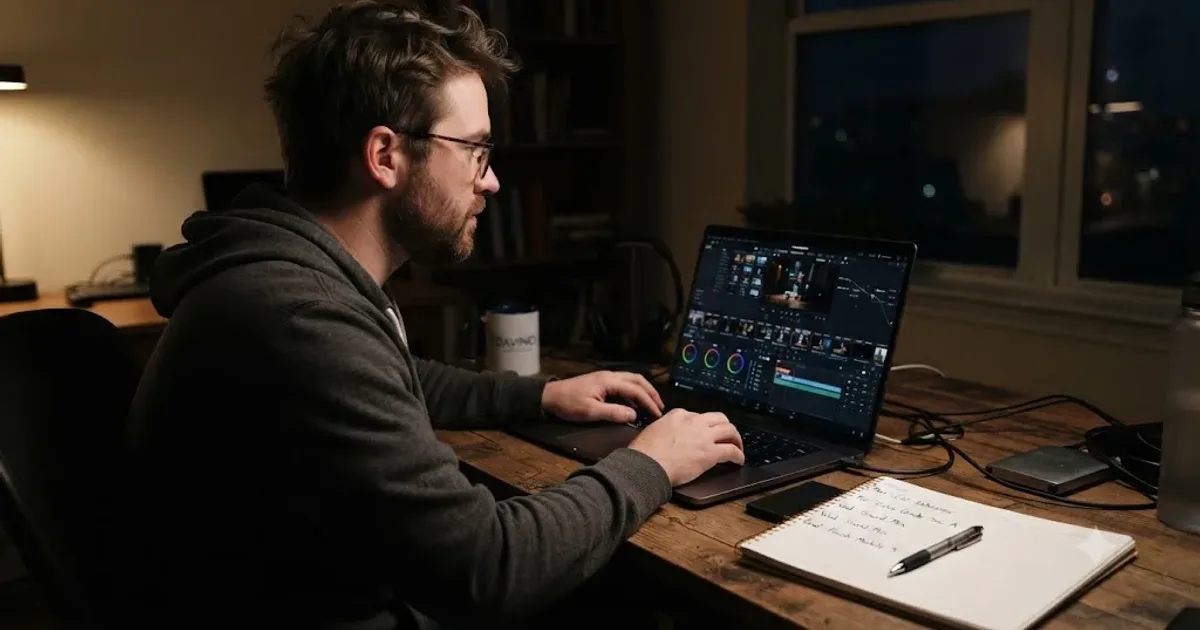
I learned to edit around a day job, the same way most of the people reading this are trying to right now. The plan that worked wasn't the ambitious one. It was the boring one that survived a bad week.
This post is that plan, adjusted for DaVinci Resolve specifically: how many hours to actually budget, which window of your day to defend, what order to learn the pages in, and what to do the week everything falls apart. No pretending you have more time than you do.
How much time does a full-time job actually leave for learning DaVinci Resolve?
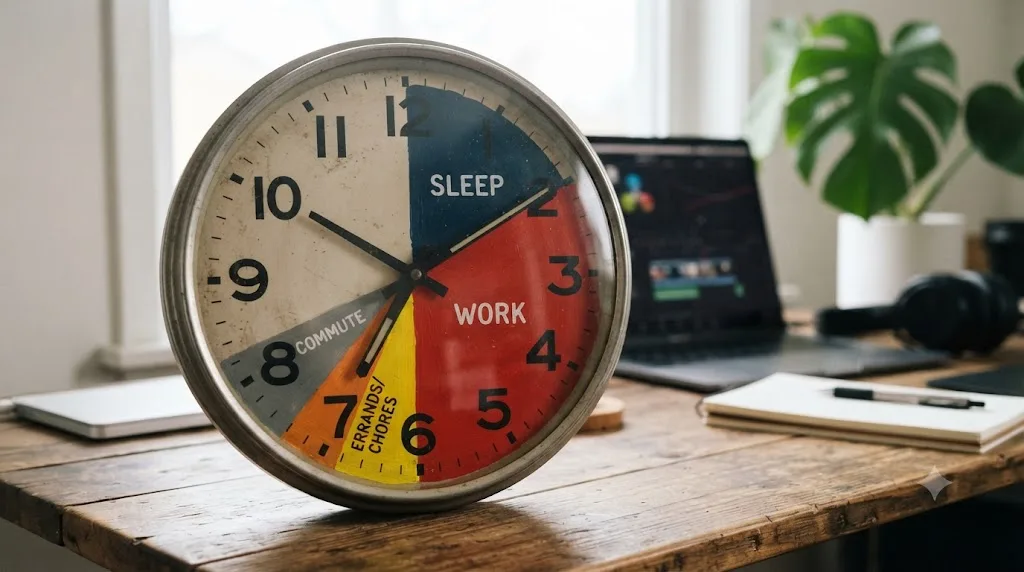
Less than you'd guess, and the number is worth knowing exactly, not approximately. Full-time employed people worked an average of 8.1 hours on the days they worked in 2025, 8.5 hours on an average weekday, according to the Bureau of Labor Statistics' American Time Use Survey. Add a commute, meals, basic errands, and something resembling sleep, and a realistic weekday leaves most working adults somewhere between one and three hours of genuinely discretionary time, before anything else competes for it: a partner, kids, a second job, a body that just wants to sit down.
That's the real ceiling this whole plan works inside. Not "how much could I theoretically learn," but "how much time is actually mine on a Tuesday in March." A learning plan sized to your best week collapses on your first ordinary one. The plans that survive are sized to a realistic Tuesday, not an aspirational Saturday.
Here's the weekly budget this post uses, and why each row lands where it does.
| Weekly hours | Who this fits | What to expect |
|---|---|---|
| Under 2 hours | No dedicated evenings, caregiving or a second job eating most free time | Real progress, but every estimate in this post roughly doubles |
| 3 to 5 hours | The realistic floor for most full-time employees with one protected window a day | The pace this plan assumes throughout |
| 6 to 8 hours | Two protected windows on weekdays plus a shorter weekend session | Noticeably faster milestones, still sustainable for months |
| 10+ hours | Rare for a genuinely full-time role, common right before a career pivot | Fast early progress, real burnout risk without a built-in floor week |
Notice the framing on that last row. More hours isn't automatically better once a job is already claiming 40 of your week. Our guide to how long it takes to learn DaVinci Resolve covers the skill timelines those hours actually buy you, goal by goal. This post is about protecting the hours themselves, which turns out to be the harder problem for someone already working full time.
What's the best way to learn DaVinci Resolve when you already work 40 hours a week?
The best way to learn DaVinci Resolve on a full-time schedule isn't a different curriculum. It's the same skills everyone learns, delivered through a smaller, sturdier container: one fixed daily window, a project every week instead of a lesson every day, and a plan that assumes you'll miss sessions because you will.
Three structural choices separate the working adults who finish learning Resolve from the ones who quietly stop in month two, and none of them are about talent.
First, they anchor practice to a fixed time slot instead of "whenever I find a moment." A fixed slot survives a busy week because it doesn't compete with other decisions, it's just what happens at 9pm. "Whenever I find a moment" loses every single time to a moment that's easier to spend on something else.
Second, they measure progress in finished things, not hours logged. A ninety-second cut, exported and watched back, tells you more about your actual skill than three hours of scrubbing through a tutorial you never finished. Working adults who track "did I finish something this week" stay motivated longer than the ones tracking "did I put in an hour," because finished things are visible proof and logged hours are just a number that stops meaning anything by week three.
Third, they build in a floor for the worst realistic week, not the best one. Jeffrey A. Greene, the McMichael Family Professor in the School of Education at UNC-Chapel Hill, put it plainly when asked about learning a new skill: "Beginners usually spend only 15 to 30 minutes practicing because it's tiring," and even at the far end of expertise, "even experts generally can't practice more than four or five hours a day," per his interview with UNC. If experts cap out around four or five focused hours, a beginner squeezing Resolve into the margins of a 40-hour week has no business planning around anything bigger than 15 to 30 minutes on an ordinary weeknight.
The best way to learn DaVinci Resolve with a full-time job is the plan that survives your worst week, not the one that looks impressive on your best one. Everything in the rest of this post builds from that one sentence.

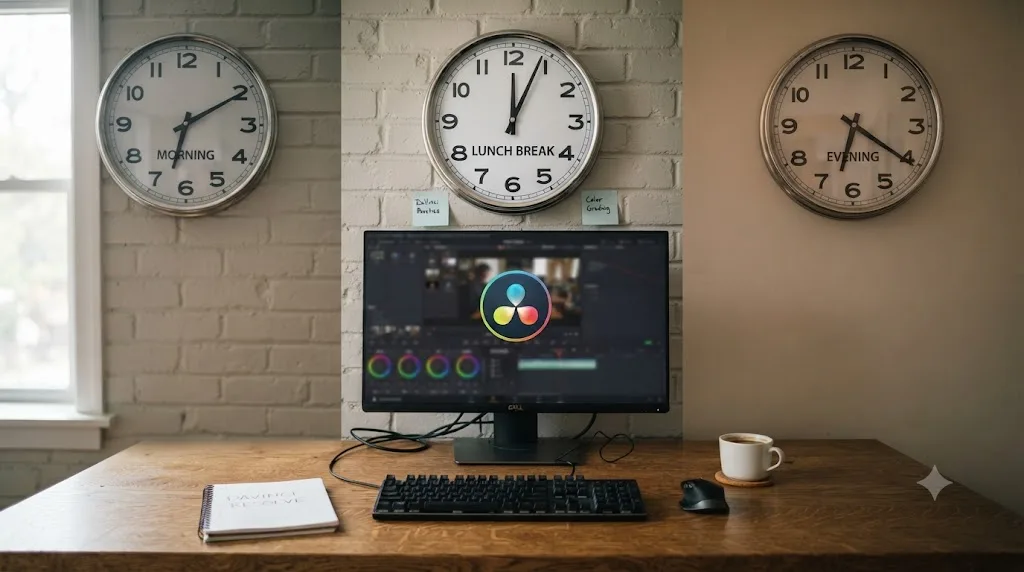
Should you practice in the morning, at lunch, or after work?
Whichever one you'll actually defend for twelve weeks, which is a less satisfying answer than a definitive ranking, but it's the honest one. Each window has a real tradeoff, and the right pick depends on your specific job and household, not on some universal "morning people learn faster" claim.
Morning, before work. The strongest case for mornings is that nothing has gone wrong yet. Your willpower is fresh, no meeting has run long, no crisis has eaten your evening. The weakness is obvious too: mornings are the first thing sacrificed to a late night, a sick kid, or a snooze button, and starting your workday already behind on sleep because you traded it for Resolve practice is a bad trade disguised as discipline.
Lunch, during the workday. A lunch window is realistic for review, not for editing. Thirty to 45 minutes is barely enough to open a project, reorient yourself, and remember what you were doing yesterday, let alone make real progress before you have to close the laptop and get back to your actual job. Use lunch for the low-friction tasks: rewatch a clip of the exact moment you got stuck yesterday, read one chapter of a training guide, or plan tonight's session so you don't burn ten of your precious evening minutes deciding what to work on.
Evening, after work. This is where most working adults land, and for a structural reason: it's the only window most jobs don't directly compete for. The tradeoff is fatigue. You're spending your remaining focus, not your freshest focus, and Greene's four-to-five-hour ceiling for experts should tell you something about what a tired beginner can actually absorb in one sitting. Cap evening sessions at 45 to 60 minutes on a normal weeknight. Longer sessions don't teach more, they just teach you to dread the next one.
| Window | Best for | Watch out for |
|---|---|---|
| Morning | Fresh focus, protected from workday chaos | First thing cut when sleep is short |
| Lunch | Review, planning, reading, not hands-on editing | Too short to finish a real editing step |
| After work | Most people's only realistic daily slot | Fatigue caps how much actually sticks |
| Late weekend morning | Longer uninterrupted blocks, good for grading and Fusion | Easiest slot to lose to errands or plans |
Kyle Elliott, a career coach quoted in Forbes' roundup of tips for busy professionals, called it plainly: "'Slow but consistent' is a powerful mantra," per Forbes Coaches Council. The window matters less than the fact that it repeats. Pick the slot most likely to survive an ordinary Tuesday, not the one that sounds best in a plan you're writing on an extraordinary Sunday.
What's the fastest way to a finished first project when you only have evenings?
An afternoon's worth of work, spread across your first week instead of crammed into one sitting. The mechanics haven't changed just because your schedule is tighter: import footage on the Media page, cut it into order on Cut or Edit, export from Deliver. None of that requires color grading, audio mixing, or Fusion.
What changes for a full-time schedule is pacing. Instead of one long Saturday session, spread the same afternoon of work across four or five short evening sessions in week one.
Session 1 (20-30 minutes): install and orient. Download the free version, open it once, and just look around. Don't edit anything yet. The goal is removing "where do I even click" as a source of friction before you're tired from work and trying to also learn the interface cold.
Session 2 (30-45 minutes): import and rough assembly. Pull in 60 to 90 seconds of your own phone footage, something you actually have on hand, and drag the clips onto a timeline in order. Don't trim yet. Just get something on the timeline.
Session 3 (30-45 minutes): trim into shape. Cut out the dead air, reorder if something plays better out of chronological order, and add one music track under it. This is the session where it starts looking like a video instead of a pile of clips.
Session 4 (20-30 minutes): export. Open the Deliver page, pick a standard export preset, and render a file that actually plays. Watch it. That's the whole point of week one: an exported file you can open and watch, not a polished piece.
That's roughly two hours spread across a week, which fits inside even the tightest weekly budget from the earlier table. A finished rough cut in your first week of learning DaVinci Resolve matters more than a polished one in your third month, because it proves the plan produces something. Quality is next month's problem. An exported file that plays is this week's only job.
What does a realistic 12-week DaVinci Resolve learning plan look like for a working adult?
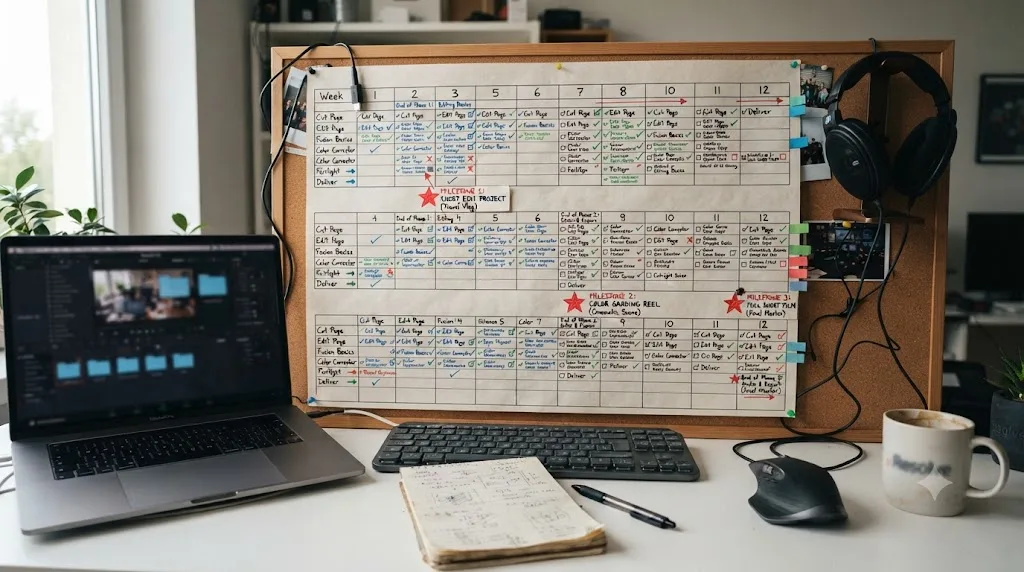
Here's the full plan, built around 4 to 6 hours a week, the floor most full-time employees can realistically sustain. It moves mechanics first, taste second, on the same logic every plan on this site follows: you can't grade or composite something you haven't finished cutting.
| Weeks | Focus | What you finish |
|---|---|---|
| 1 | Install, orient, first rough cut | A short exported video from your own footage |
| 2-3 | Trimming, transitions, basic titles, export presets | A second, cleaner cut with titles and one reusable export preset |
| 4 | Media management: folders, proxies, backups | A project you can reopen next month without anything going offline |
| 5-6 | Color page fundamentals: wheels, contrast, one-node exposure fixes | Last month's cut, graded with a single correction node per clip |
| 7 | Fairlight basics: levels, a gentle EQ pass, one bus | The same project with dialogue and music sitting at usable, separated levels |
| 8 | Consistency week: repeat the full workflow on a new short project | A cut-grade-mix-export cycle finished faster than week one's version |
| 9-10 | Fusion first contact: one Text+ node, one simple mask | A single lower third or basic title animation, nothing more ambitious |
| 11 | Speed habits: keyboard shortcuts, a saved title template, a project template | The same category of project as week 8, timed against it |
| 12 | Ship something real, publicly | One finished piece shared somewhere, a channel, a client, a portfolio page |
Three rules make this plan survive contact with a real job. Finish something every single week, because a week with nothing exported is a week the plan quietly stalls. Don't add new sources mid-plan, no new course, no new YouTube channel, since chasing a better resource is often procrastination wearing research's clothes. And treat week 12's public share as non-negotiable, because showing unfinished work to someone who owes you nothing is the fastest way to find out what you actually still don't know.
If your real week only affords two or three hours instead of four to six, stretch the same twelve steps across roughly twenty weeks rather than cutting any of them. The order matters far more than the calendar date next to each row. Our complete DaVinci Resolve tutorial walks through the same page-by-page sequence in more depth, Media, Edit, Color, Fairlight, Fusion, and Deliver, if you want the mechanics behind any single week spelled out further.
Which DaVinci Resolve skills should you prioritize with only 3 to 5 hours a week?
The ones that let you finish a project end to end, before anything that makes a finished project prettier. On a tight weekly budget, sequencing isn't a preference, it's the difference between a plan that produces evidence of progress and one that produces a folder of half-finished experiments.
Priority tier one, non-negotiable in your first month: importing media, trimming on a timeline, basic titles, and a single reliable export preset. These four skills are the entire difference between "I opened Resolve" and "I have a video." Everything else is optional until this tier is automatic.
Priority tier two, add once tier one feels boring rather than hard: one-node color correction (exposure, white balance, basic contrast), levels-only audio balancing, and proxies for playback on modest hardware. This tier is what separates a rough cut from something you'd actually show someone.
Priority tier three, genuinely optional on a tight schedule: multi-node color matching across shots, Fairlight buses and compression, and Fusion beyond a single Text+ title. These are real, valuable skills. They're also the ones most likely to eat your entire weekly budget on a single stuck moment if you tackle them before tier one is solid, and a stuck Fusion node tree at 9:15pm on a work night is a specific kind of frustration worth avoiding in month one.
You can deliver a finished, watchable project in DaVinci Resolve using nothing from tier three at all. Plenty of working editors never touch deep Fusion compositing or Fairlight's full mixing console, because plenty of paid work never asks for it. Skipping tier three early isn't cutting corners. It's matching your practice time to what a full-time schedule can actually absorb.
The list of things safe to skip entirely for now, regardless of how interesting they look in a tutorial thumbnail: Fusion's 3D and particle systems, ACES color management, the scripting API, and any Studio-only AI tool you haven't hit an actual need for yet. None of it disappears. It'll still be there in month four, once tier one and two are automatic instead of effortful.

Can you learn DaVinci Resolve fast without quitting your job first?
Yes, within limits worth being honest about. "Fast" and "while working full time" pull against each other, and the plan works best when you stop treating that as a problem to solve and start treating it as a constraint to design around.
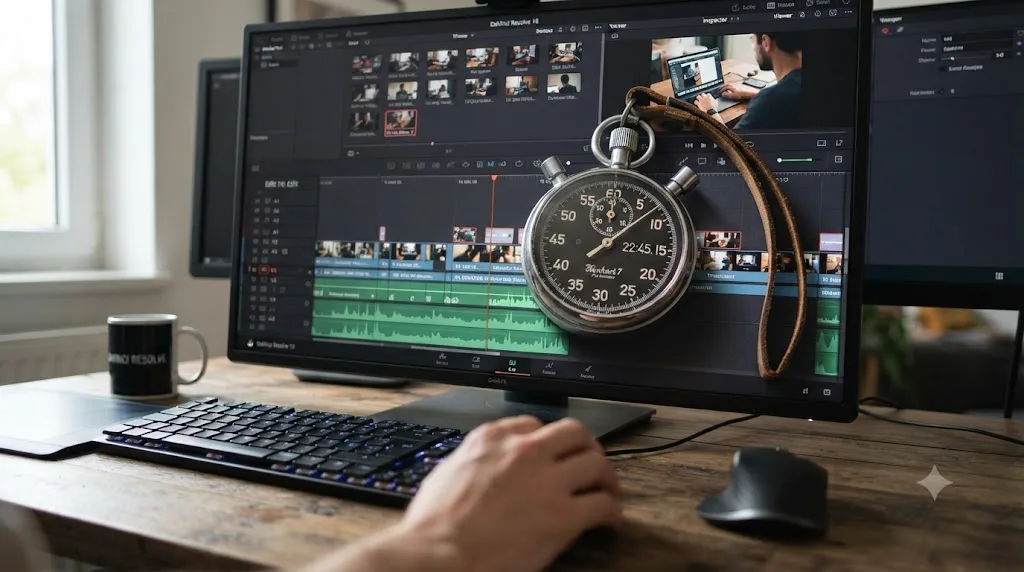
What actually compresses the timeline on a full-time schedule isn't more hours, it's less waste inside the hours you already have. Three specific wastes eat more time than people realize. Re-finding your place at the start of every session, because you didn't write down where you stopped, costs five to ten minutes you'll never notice individually and will absolutely notice over twelve weeks. Following passive tutorials instead of building from your own footage costs you the recall practice that actually makes a skill stick, so you rewatch the same category of video three times before it lands. And guessing at a setting instead of looking it up immediately can cost a full session's worth of confused troubleshooting over one wrong click three steps back.
Cut those three wastes and the same weekly hour budget moves noticeably faster, without adding a single extra hour to your week. That's the honest version of "learn DaVinci Resolve fast" for someone who isn't quitting their job to do it: not more time, tighter time.
What doesn't compress, no matter how efficient your sessions get, is the judgment-based skills: shot-to-shot color matching, a Fusion composite that actually reads as intentional, the eye that knows when a grade is finished. Those are volume-driven, and volume is exactly what a full-time job rations. Accept that split going in. Front-load the mechanical skills so real progress feels fast, and let the taste-based skills build on their own slower schedule in the background, without treating their slower pace as a sign the plan has failed.
Speed while working full time comes from cutting waste inside your hours, not from finding more hours to waste the same way. That single reframe is worth more than any productivity hack in this post.
Course, YouTube, or AI tutor: what actually fits a full-time schedule?
Each solves a different piece of the time problem, and matching the wrong one to your actual bottleneck wastes exactly the hours you can't afford to waste.
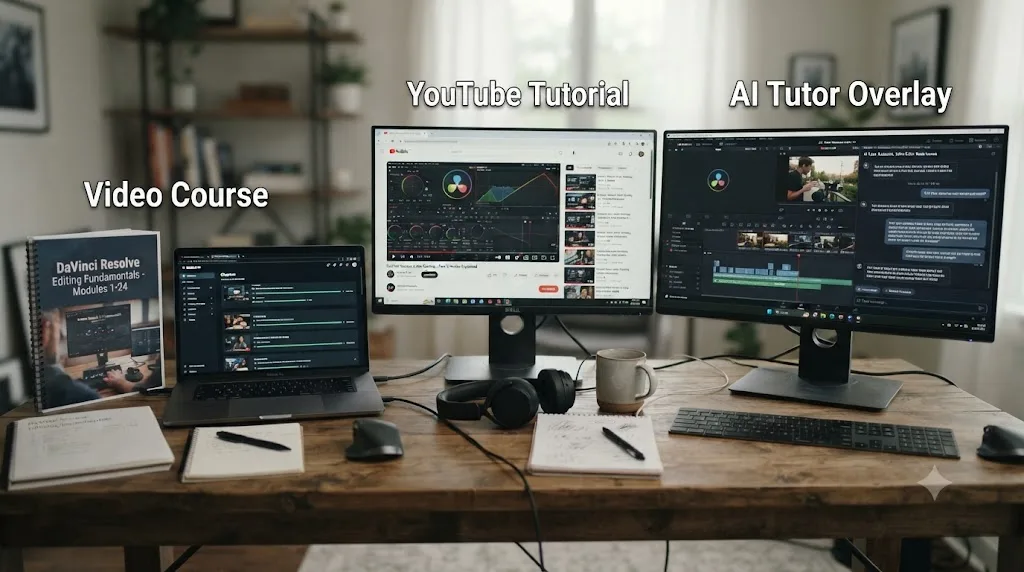
A structured course, paid or free, solves the sequencing problem. Someone else decided the order, which means you're not spending your precious 30 minutes deciding what to learn next instead of learning it. Blackmagic Design's own training runs a full curriculum this way, at no cost: six downloadable guides, lesson files, and free certification exams, according to its official training page. Our own best DaVinci Resolve courses roundup and free course guide break down the paid and no-cost options in more depth if sequencing is genuinely your bottleneck.
YouTube solves the specificity problem. When you know exactly what you're stuck on, "how to track a power window in DaVinci Resolve," a targeted video is often faster than digging through a course chapter to find the same three minutes. Casey Faris' channel, with an audience approaching 600,000 subscribers per vidIQ's channel statistics, is a reasonable default for that kind of targeted search. The tradeoff for a busy schedule is real, though: unstructured video rewards whatever's trending, not whatever a beginner needs next, and fifteen open tabs is its own kind of time sink.
An AI tutor solves neither of those. It solves the interruption problem, the minutes lost mid-session hunting for a control you can't name. TryUncle is an AI tutor for DaVinci Resolve on macOS: ask in plain words and Uncle points at the exact control on your screen. For someone with 45 minutes on a work night, that's a meaningfully different kind of help than a course chapter or a video, because it doesn't ask you to pause your actual project and go somewhere else to find the answer.
| Tool | Solves | Time cost per use | Best fit for a tight schedule |
|---|---|---|---|
| Structured course (Blackmagic, MZed, Udemy) | Sequencing, what to learn next | Hours, spread over weeks | Complete beginners who don't yet know the shape of the app |
| YouTube (Casey Faris and similar) | A specific known question | Minutes to tens of minutes | Editors who already have vocabulary to search with |
| AI tutor watching your screen | Interruptions mid-session | Seconds to a couple minutes | Anyone whose real constraint is minutes, not knowledge |
None of these three replaces the other two, and a full-time schedule is exactly the situation where stacking matters most: a free structured path for the shape of the app, a targeted video for the occasional deep question, an in-app AI tutor for the small interruptions that otherwise eat a session. Which one to lean on hardest depends on which time problem you actually have this month, sequencing, specificity, or interruption, and it's worth naming that to yourself honestly before you subscribe to or bookmark anything.
How do you protect your practice window when work gets busy?
The same way you protect a meeting you can't move: put it somewhere your future self can see it, and build in the friction that makes skipping it slightly harder than showing up.
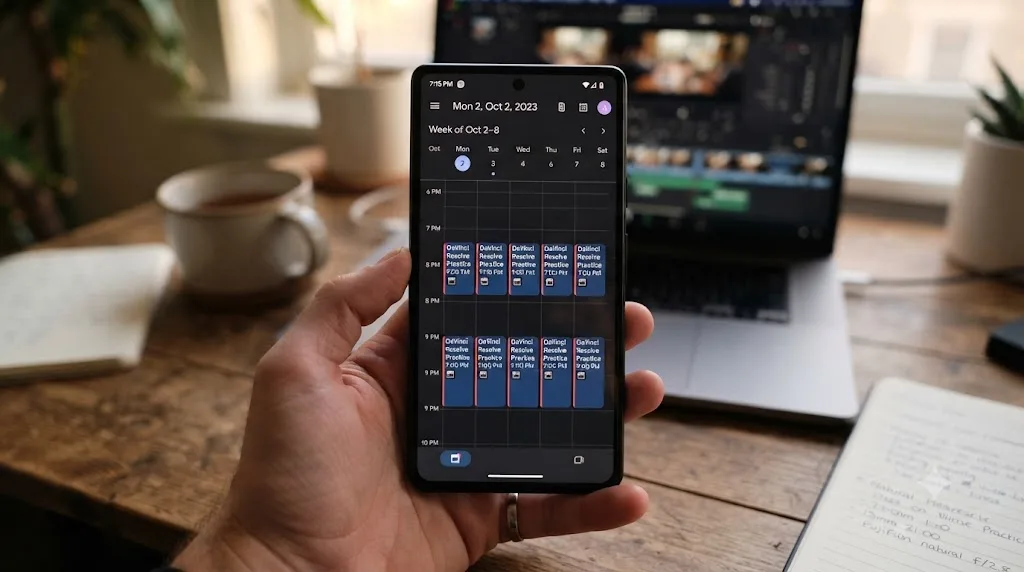
Put the session on your actual calendar, not a mental note. A block that says "DaVinci Resolve, 8:00-8:45pm" competes with other commitments the way a real appointment does. A vague intention to "edit tonight" competes with nothing, because it isn't occupying a slot anything else can conflict with.
Lower the bar for what counts as a session on a bad day. Faith Fuqua-Purvis, quoted in the same Forbes roundup, put the underlying logic simply: "When your time is limited, the most important thing you can do is start learning," per Forbes Coaches Council. On a genuinely rough night, a ten-minute session where you just reopen the project and glance at where you left off beats a skipped night entirely, because it keeps the streak and the mental thread both alive.
Pre-decide your fallback before you need it, not during the moment you're deciding whether to skip. Decide now: if a session gets bumped, does it move to tomorrow, or does the week just run one session short? Either answer works. Not having one invites the whole week to unravel on the first bad night.
Tell one other person your schedule. Accountability doesn't have to mean a formal system. A partner, a friend, or a small online community who knows you're supposed to be at it Tuesday and Thursday nights adds a mild social cost to skipping that a private intention doesn't carry.
Batch your setup once, then leave it alone. Keep a project template with your bin structure and export preset already built, so every session starts editing instead of re-configuring. Karan Rhodes, another contributor to that same Forbes piece, described the underlying tactic as microlearning: working "in bite-sized chunks of time, usually between five and 20 minutes," per the same Forbes Coaches Council roundup. A pre-built template turns a 20-minute chunk into 20 minutes of actual practice instead of 15 minutes of setup and 5 minutes of practice.
A practice window you never renegotiate is worth more than a longer one you're constantly rescheduling. The plan that survives isn't the ambitious one. It's the one boring enough to become a habit.
What if you can only find two hours a week, or some weeks none at all?
Two hours a week still works. It's the honest floor, not a consolation prize, and it changes the shape of the plan more than it changes whether the plan works at all.
At two hours a week, stretch the twelve-week plan above to roughly twenty to twenty-four weeks instead of compressing any of the steps. Every step still happens in the same order, just with more calendar time between them. Resist the urge to skip tier two or tier three skills to "catch up" to a faster timeline; skipping steps doesn't speed up learning, it just produces gaps you'll pay for later.
At two hours a week, split it into two one-hour sessions rather than one two-hour block if you can manage it. Greene's observation that beginners tire around 15 to 30 minutes and even experts cap out well before the workday's worth of hours, per UNC's interview with him, applies just as much at the low end of the time budget as the high end. Two focused 30-to-45-minute sessions beat one distracted two-hour marathon almost every week.
Some weeks will genuinely produce zero hours. A work crunch, a sick kid, a family emergency, these aren't hypotheticals for anyone with a full-time job and a life outside it. Here's the honest protocol for a zero week: don't try to make it up. Resume next week at the exact step you left off, not one step back to "refresh," and not by doubling up the following week to compensate. A missed week costs you momentum, not progress. Trying to cram two weeks into one usually costs you the next week too, out of exhaustion.
If zero weeks start happening more than one month in three, that's real information, not a personal failure. It usually means the weekly budget you picked doesn't match your actual life right now, not that the plan or the software is wrong for you. Drop to the two-hour floor, extend the timeline further, and let the schedule match this season of your life rather than the one you wish you were in.
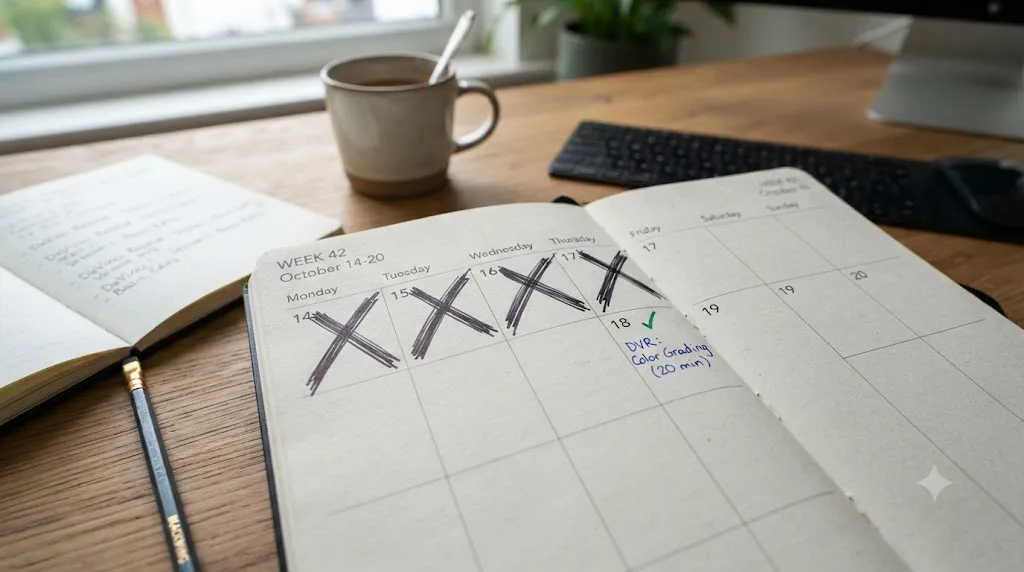
Can you use your commute or lunch break to learn DaVinci Resolve?
Partially, and knowing exactly which part saves you from a common disappointment: expecting a fifteen-minute commute to substitute for a real editing session, then feeling like you failed when it doesn't.
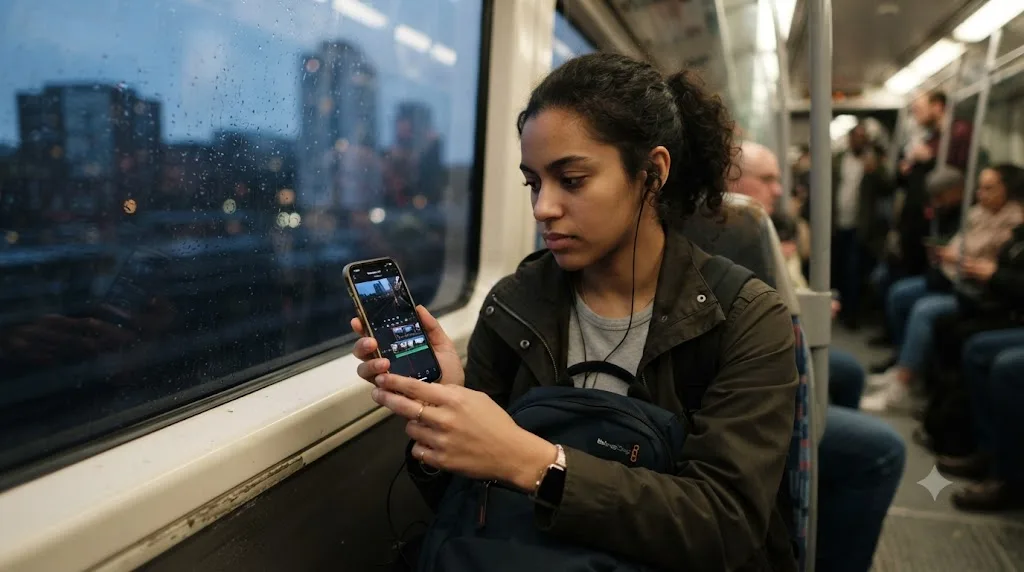
What travels well to a commute or a lunch break is anything passive. Rewatching, on your phone, the exact clip of the moment you got stuck in last night's session, so tonight's session starts with the answer instead of the confusion. Reading a chapter of a free training PDF, since Blackmagic's own guides work fine as plain reading away from the app. Planning your next session's specific goal, so you sit down tonight already knowing you're fixing that one power window instead of deciding it cold. Listening to a Resolve-focused podcast or YouTube audio-only during a drive, for exposure to vocabulary and concepts even without hands on a keyboard.
What doesn't travel well is anything hands-on. Real editing needs a stable window of time, a real keyboard or trackpad, and enough runway to actually finish a step rather than abandon it mid-motion when your stop arrives. A 12-minute train ride is real time, but it's the wrong shape of time for opening a node tree.
The exception worth naming: if your commute is genuinely long, an hour or more each way on a train, not driving, and you own a laptop light enough to bring, a subset of Resolve work travels fine. Reviewing yesterday's cut and making trim decisions, without full color or Fusion work, is realistic on a stable train seat with a laptop. Don't force this if your commute is a car you're driving or a train too short or too crowded for a laptop open on your tray table. Forcing the wrong tool into the wrong window is how good intentions turn into a laptop that never leaves the bag.
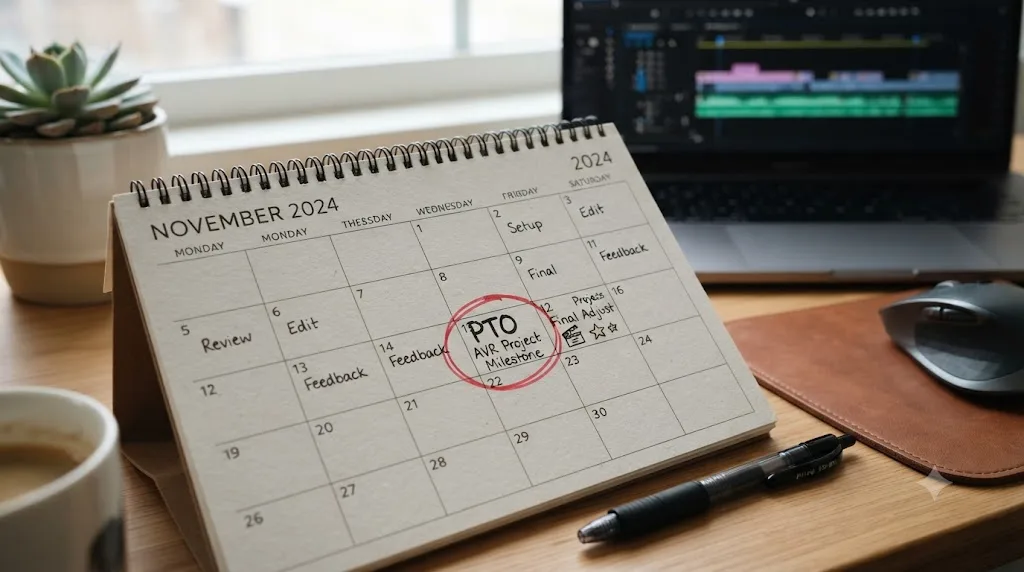
Is a weekend intensive or a day of PTO worth it to jump-start the plan?
Sometimes, and the answer depends entirely on whether you already have a weekly habit running underneath it. A day off spent on Resolve behaves very differently depending on what surrounds it.
If you're using it to start from zero, a single day of PTO with no plan before it and no follow-up session after it produces a good day and then the same stall as everyone else. You'll feel great at 6pm and then hit the same wall in week two that you would have hit anyway, because one intense day doesn't build a habit, it just produces one good memory of momentum.
If you're using it to compress a specific milestone inside an existing weekly rhythm, it works well. Say you're already three weeks into the twelve-week plan above and want to finish week 5 and 6's color-grading milestone in one focused day instead of two scattered weeknights. That's a legitimate use of a day off, precisely because the habit and the sequencing already exist around it, and the day is compressing calendar time, not manufacturing motivation from nothing.
The same logic applies to a genuine weekend intensive, two full days instead of one. Treat it as compression, not substitution. Pick one specific milestone from the twelve-week plan, the color-grading week, the Fusion first-contact week, the consistency week, and dedicate the weekend to finishing that milestone at a depth your weeknight sessions can't reach, rather than trying to cram the whole plan into 48 hours.
A day of PTO spent compressing a milestone you're already working toward beats a day of PTO spent trying to manufacture a habit from nothing. If you're weighing it, ask which one you're actually about to do before you book the day off.
Which AI tool actually helps you while you're using DaVinci Resolve, not just before or after?
Most of the AI category built around video editing right now sits before or after your actual editing session, not inside it, and knowing which is which matters if the thing you're actually short on is minutes spent stuck mid-task.
PremiereCopilot bundles twelve AI editing tools, silence cuts, animated captions, a text-to-edit copilot, directly into Adobe Premiere Pro's interface, starting at $7.99 a month with a free tier, per its own site. It's a genuinely capable tool for what it does. It's also built for Premiere Pro specifically, not DaVinci Resolve, so it isn't part of this comparison for anyone actually working inside Resolve.
Eddie AI, at heyeddie.ai, is a different shape of tool: an assistant editor you import interviews into, chat with to generate rough cuts and B-roll placement, then export to your NLE of choice, including DaVinci Resolve. It's trusted by more than 40,000 video professionals according to its own site, with paid plans starting at $25 a month. Eddie edits before you touch Resolve. It builds the rough cut elsewhere, then hands you a file to finish, grade, and mix inside your actual editor.
CutAgent works the closest to inside Resolve itself: it's built specifically for DaVinci Resolve, on both the free version and Studio 20 and later, running on macOS, per its own site. You describe an edit in plain language, and it executes the operation directly on your timeline, showing you each step before the change lands. That's real automation, genuinely inside the app.
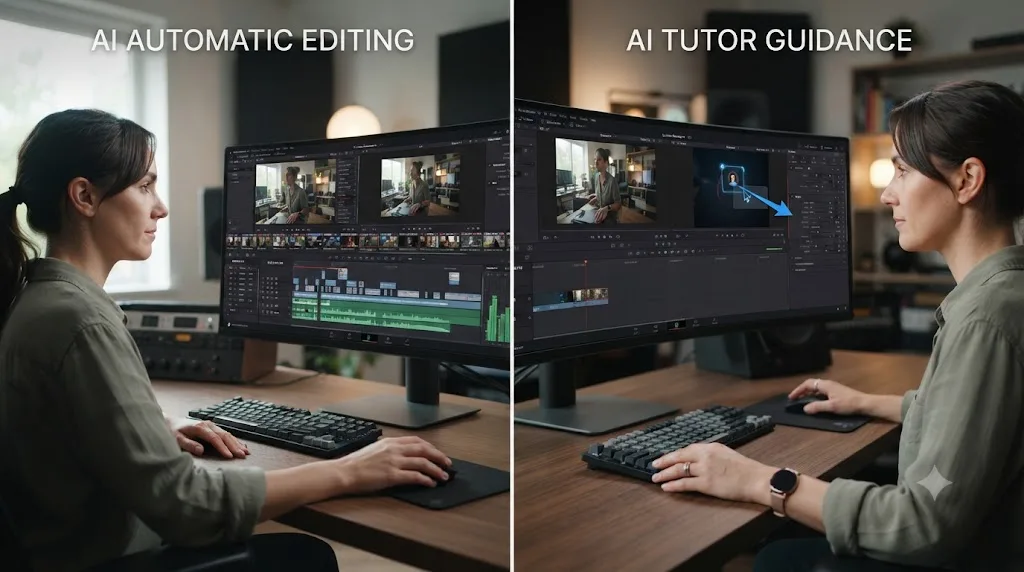
Here's the honest distinction worth understanding before picking one. Eddie and CutAgent both edit for you, faster rough cuts, faster silence removal, faster timeline operations, executed on your behalf. TryUncle is an AI tutor for DaVinci Resolve on macOS: ask in plain words and Uncle points at the exact control on your screen. It doesn't touch your timeline or make the edit. It teaches you which control does, then gets out of the way while you make the click yourself.
| Tool | What it does | Runs inside Resolve? | Teaches you, or edits for you? |
|---|---|---|---|
| PremiereCopilot | AI editing tools for Adobe Premiere Pro | No, Premiere Pro only | Edits for you, different app |
| Eddie AI (heyeddie.ai) | Builds rough cuts from interviews, exports to Resolve | No, works before Resolve | Edits for you, outside the app |
| CutAgent | Executes plain-language edit commands on your Resolve timeline | Yes | Edits for you, inside the app |
| TryUncle | Watches your screen and points at the control you need | Yes | Teaches you, doesn't touch your project |
For someone learning on a tight schedule specifically, that distinction matters more than it would for an experienced editor who just wants raw speed. An automation tool that edits for you is genuinely useful once you already know what a correct edit looks like and just want it faster. It's a worse fit while you're still building the judgment to evaluate whether the automated result is actually right, which is exactly the phase this whole post is about. A tool that points and explains, rather than one that acts on your behalf, keeps you the one making the decision, which is the decision-making practice a full-time schedule can least afford to skip.
How do you avoid burning out on a plan stacked on top of a 40-hour week?
By treating the weekly floor as sacred and everything above it as optional, so a good month doesn't quietly reset your baseline into an unsustainable one.
The specific trap: month one goes well, you find yourself doing six or seven hours instead of the planned four, and by month three that inflated number has become the expectation you're now failing to hit every time work gets busy. The fix isn't discipline, it's a written floor you don't renegotiate upward just because a few good weeks made it feel easy. Write down "two hours a week, minimum, no matter what" and treat any week above that as a bonus, not a new baseline.
Watch for the specific signs that the plan has started costing more than it's giving back: dreading the session instead of feeling neutral about it, skipping sleep to fit it in more than once, or noticing that Resolve sessions have started replacing time with people you actually want to see. None of those is a sign you need more discipline. They're signs the weekly budget is miscalibrated for this season of your actual life, and the fix is lowering the number, not pushing through.
Build in a genuine off week every month or two, planned in advance rather than taken guiltily after a bad one. A scheduled break doesn't cost you the plan's momentum the way an unplanned collapse does, because you're returning to a plan you paused on purpose, not restarting one you abandoned.
And separate the two different kinds of tired. Productive tired, the kind after a session where you actually learned something and finished a step, is fine and even a good sign. Depleted tired, the kind where you can't remember what you just did five minutes after closing the laptop, is a sign to shorten the session, not push through it. Greene's ceiling on expert practice time exists for a reason: past a certain point in any single session, more minutes stop converting into more skill, and you're just spending fatigue you needed for tomorrow's actual job.
What does month two and three look like once the basics are automatic?
Different in shape, not just in difficulty. Month one is mechanics: import, trim, export, repeated until it stops requiring conscious thought. Months two and three are where a working adult's practice time starts paying compound returns, because you're no longer spending half of every session re-finding the interface.
Month two is depth month for the two skills that reward it most on a tight schedule: color and audio, because both compress into a single node or a single fader chain that a 45-minute session can meaningfully advance. Move from one correction node per clip to a small two-node chain, a balance node plus a look node, and try matching two shots from the same source until the cut between them stops being visible. On Fairlight, add a gentle EQ pass and your first bus, so dialogue and music finally sit on separate faders instead of one blended track. Both fit inside the same weekly floor you've been running since week one; they just ask more precision of the time you already have.
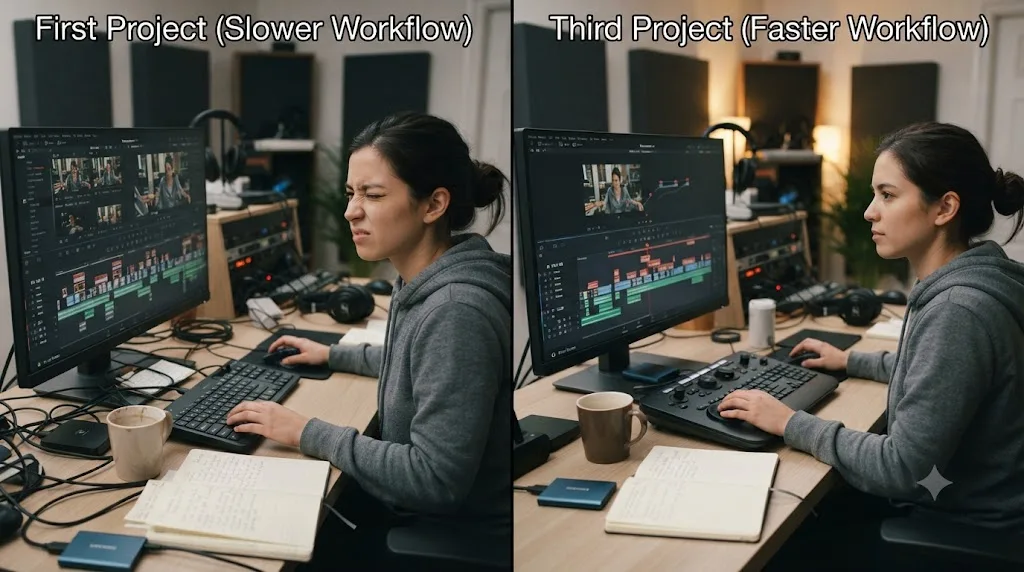
Month three is consistency month, and the question shifts from "can I do this once" to "can I do this reliably inside my actual weekly budget." Cut a second and third short project using the same workflow as your month-one project, and time yourself against the first one. If the third project takes meaningfully less of your weekly hours than the first did, that's the actual proof the plan is compounding, more useful proof than any milestone checklist, because it's measured in the resource you actually have the least of.
By the end of month three, on a 4-to-6-hour weekly budget, expect a workflow that produces a watchable short project inside a single week rather than stretching across three or four, which lines up with the "YouTube-ready" tier in our how long it takes to learn DaVinci Resolve guide. That's not mastery. It's the point where the plan starts running mostly on its own momentum instead of on willpower alone.
How do you know the plan is working, and what do you do when you fall behind?
Two separate questions, and conflating them is what makes falling behind feel like failure instead of just information.
Knowing the plan is working has a concrete test, unrelated to hours logged: are you finishing something most weeks, and does each finished thing take a little less of your weekly budget than the last one did? That's it. Not "do I feel confident," not "have I watched enough tutorials." Finished output, trending toward less time per output, is the only signal that actually reflects a full-time schedule's real constraint.
Falling behind has a specific, boring fix: resume exactly where you stopped. Don't repeat a step you already finished just because time passed since you did it, unless you genuinely can't remember how you did it, in which case a quick five-minute review before continuing is fine. Don't skip ahead to "catch up" to where the calendar says you should be, because the twelve-week numbers were always a guide, not a deadline with consequences.
If you've fallen behind by more than a month, do one honest audit before resuming: is the weekly hour budget you picked still realistic for your actual life right now, not the life you had when you wrote the plan? A new job, a new baby, a family health issue, any of these can legitimately shrink your real weekly floor, and the fix is adjusting the number down and extending the timeline, not blaming yourself for missing a schedule built around circumstances that no longer apply.
If you've fallen behind and the reason is genuinely just motivation, not circumstance, the fastest fix is usually shrinking the next session, not skipping it. A ten-minute session where you just reopen the project counts. It's not about the ten minutes of editing. It's about not letting the gap between sessions grow long enough that reopening the project starts to feel like starting over.
Should you learn DaVinci Resolve for a career change while still employed?
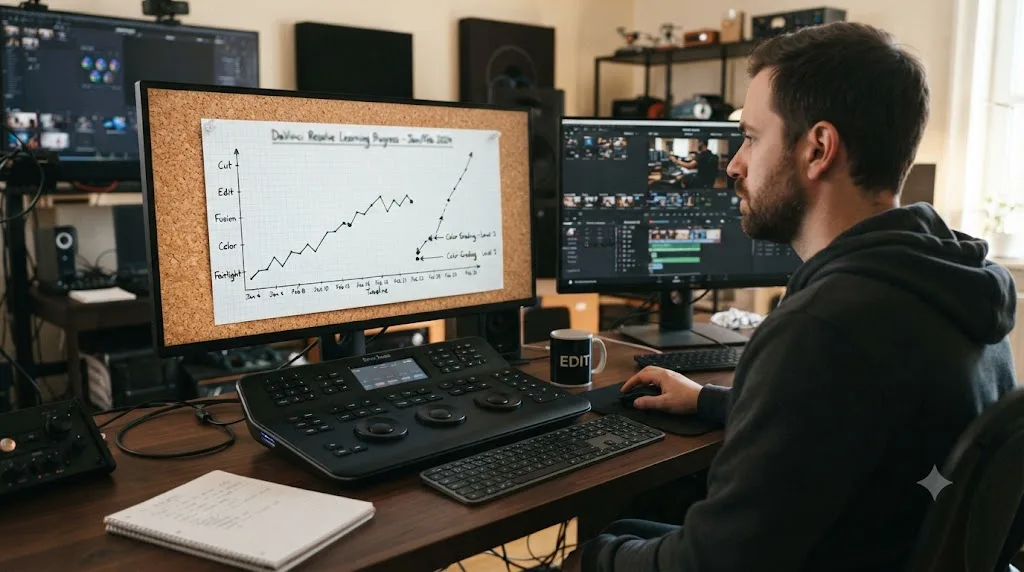
For almost everyone, yes, and the alternative, quitting first to learn full time, usually makes the plan worse, not better. Learning while still employed removes the financial pressure that turns a skill-building process into a race you can't afford to lose, and financial pressure is exactly the thing that makes people rush past the mechanics-first sequencing this whole plan is built around.
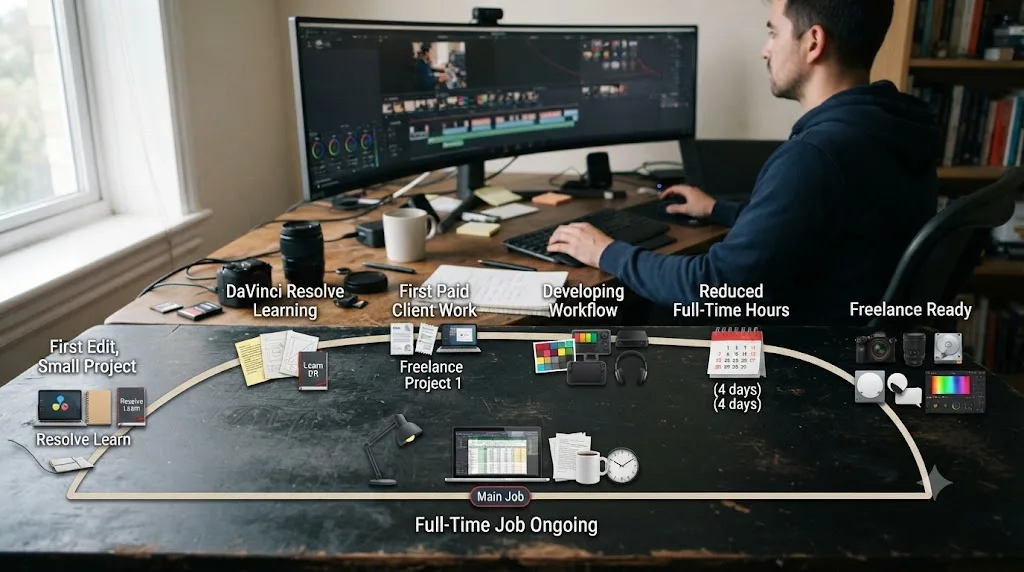
The honest timeline, building on the freelance-readiness numbers our how long it takes to learn DaVinci Resolve guide covers in more depth: at a steady 4-to-6-hour weekly pace, three to six months of consistent practice gets a working adult to a genuine portfolio, three finished pieces a stranger could mistake for delivered client work, which is the practical gate for a first paying client, not a certificate or a course completion. That timeline runs entirely on evenings and weekends around a full-time job for most people who make the transition successfully.
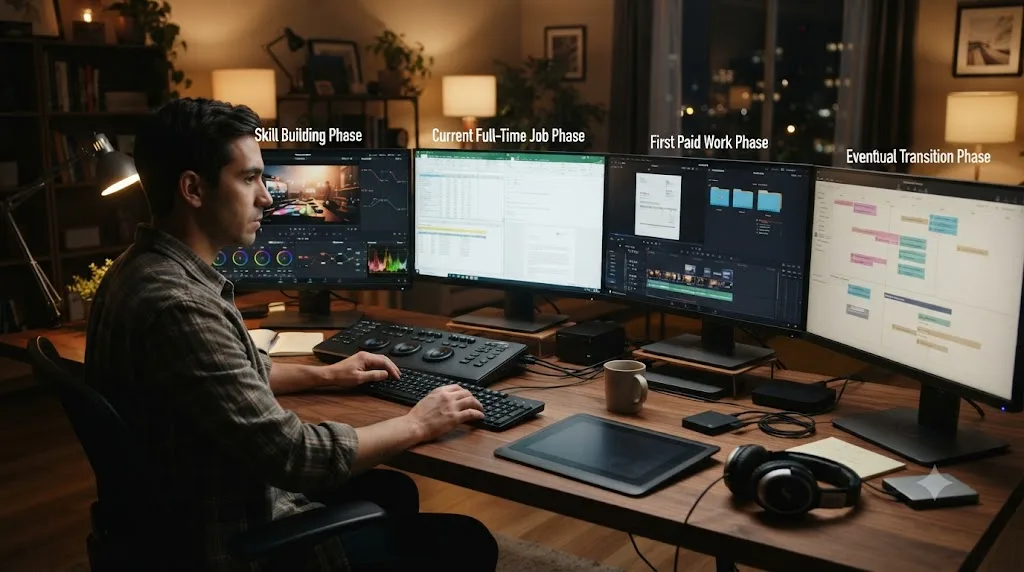
Structure the transition in three overlapping phases rather than a single hard cutover. Phase one is skill-building on your own projects, exactly the twelve-week plan above, run without any client pressure attached. Phase two starts once you've hit the portfolio gate: take on a first small paying job or two while still fully employed, treating it as a real-world stress test of skills you're mostly confident in rather than your main income. Phase three, reducing your full-time hours or leaving entirely, only makes sense once client work alone reliably covers what your job currently does, which for most freelance editors takes noticeably longer than the skill-building phase itself.
One honest caution specific to this path: don't let client deadlines during phase two eat the practice time still building your tier-two and tier-three skills from earlier in this post. A first paying client covers your rent for that month. It doesn't teach you Fusion. Keep a smaller protected practice window running even after the money starts, or your growth quietly stalls right at the skill level your first client happened to need.
What's a realistic timeline to freelance-ready while working full time?
Here's the full arc, stated plainly, at the 4-to-6-hour weekly pace this post assumes throughout.
| Timeframe | Milestone | What's actually true at this point |
|---|---|---|
| Month 1 | Finished first small projects | Mechanics are functional, nothing is polished yet |
| Months 2-3 | Comfortable color and audio basics | You can grade and mix a short project without guessing at every step |
| Months 3-6 | A real three-piece portfolio | The practical gate for a first paying client, per this site's learning timeline guide |
| Months 4-8 | First one or two small paying jobs, still employed | Client work stress-tests skills, doesn't replace continued practice |
| Month 8+ | Client work reliably covers a meaningful share of expenses | The point where reducing full-time hours becomes a real financial option, not a leap of faith |
Two honest caveats belong on this table, not buried below it. First, these are ranges built from watching people actually make this transition, not a guarantee tied to any specific number of hours. A slower version of this exact same path, stretched to double the timeline at a 2-hour weekly pace, is just as legitimate as the faster one, and rushing it to hit an arbitrary date usually produces worse client work than letting the pace match your real weekly budget. Second, the table assumes you keep the weekly practice habit running through the paid-work phase, not just through the skill-building phase, because client deadlines have a way of quietly replacing the exact practice time that got you client-ready in the first place.
Nobody freelances their way out of a full-time job by working faster. They do it by staying consistent long enough for a slow compounding process to finish. That's a less exciting sentence than most career-change advice, and it's the one that actually matches how this transition goes for people learning DaVinci Resolve around a 40-hour week.
So what should your actual plan look like?
Pick a weekly number you can defend on your worst realistic week, not your best one. For most people with a full-time job, that's four to six hours, split across three or four short sessions anchored to one fixed daily window. Follow the mechanics-first order: Media, Edit, and Deliver before Color and Fairlight, both of those before Fusion. Finish something small every single week, because a finished thing is the only progress signal that survives a schedule this tight.
And when a week inevitably goes to zero, because a job and a life outside it will make sure some weeks do, resume at the exact step you left off. Don't restart. Don't cram. The plan that gets a working adult all the way through DaVinci Resolve's learning curve was never the fastest one available. It was just the one boring enough to still be running twelve weeks from now.
Frequently asked questions
- How many hours a week do I actually need to learn DaVinci Resolve while working full time?
- Four to six hours a week, split into three or four short sessions, is the realistic floor for steady progress. Less than two hours a week still works, it just roughly doubles every timeline in this plan. More than eight or ten hours a week on top of a 40-hour job usually collapses within a month, because it borrows against sleep or a weekend you needed for something else.
- What's the best time of day to practice DaVinci Resolve with a 9-to-5 job?
- Whichever window survives contact with a bad week, which for most working adults is either the first 30 minutes after waking or a fixed slot right after dinner. Lunch breaks work for short review sessions but rarely for real editing, since 30 to 45 minutes barely covers loading a project. Pick one anchor window and treat it like a recurring meeting, not whichever hour happens to be free.
- Can I learn DaVinci Resolve on my lunch break or commute?
- Partially. A commute or lunch break is good for passive review, rewatching a saved clip of your own confusing moment, reading a training PDF chapter, or planning tomorrow's session, but it's a poor place for hands-on editing since you need a real keyboard, a stable window, and enough time to actually finish a step. Save the actual editing for a seated session, and use the commute to plan it.
- Will a paid course fit around a full-time job better than free YouTube tutorials?
- A structured course fits a busy schedule better than an unstructured YouTube feed, because the sequencing decision is already made for you, and decision fatigue is the real time cost busy adults underestimate. It doesn't have to be paid. Blackmagic Design's own free training books are sequenced just as tightly as any paid course, and they cost nothing to start tonight.
- How long until I'm good enough to freelance in DaVinci Resolve while still working full time?
- Three to six months of steady 4-to-6-hour weeks, if your goal is a first paying client rather than a full income replacement. That timeline assumes you keep your day job through it, which most people do, since the safest way to build a freelance editing practice is on evenings and weekends until the client work alone covers your bills.
- What should I do the weeks I completely miss my DaVinci Resolve practice?
- Resume at the same step you left off, not one step back and not by trying to cram two missed weeks into one. A missed week costs you a little momentum, not your place in the plan. Treat a whole missed month the same way: pick the plan back up where you stopped, and only repeat a step if you genuinely can't remember it.
- Is it worth taking a day of PTO to jump-start learning DaVinci Resolve?
- Only if you already have a weekly practice habit running and want to compress a specific milestone, like finishing your first graded project. A single day of PTO spent learning Resolve cold, with no plan and no follow-up week, produces a good day and then the same stall everyone else hits. Spend the PTO day on execution, not orientation.
- Does an AI tool that watches my screen help more than a course when I barely have time?
- They solve different time problems. A course teaches you skills you don't have yet, which still takes hours regardless of the tool. A screen-aware AI tutor like TryUncle answers the one question stopping you right now, which matters most when your actual constraint is minutes, not hours, and every minute stuck on a menu is a minute you don't have to give back.
Sources
- DaVinci Resolve - Training (Blackmagic Design)
- CG Channel: Blackmagic Design releases DaVinci Resolve 21.0
- UNC-Chapel Hill: Expertise expert offers 8 tips for learning a new skill (Jeffrey A. Greene)
- Forbes Coaches Council: Never Too Late, 11 Tips To Help Busy Professionals Master A New Skill
- U.S. Bureau of Labor Statistics: American Time Use Survey, 2025 Results
- Casey Faris - YouTube channel
- vidIQ - Casey Faris channel statistics
- MZed - Color Correction with DaVinci Resolve (Ollie Kenchington)
- Udemy - DaVinci Resolve Mastery: The Complete Video Editing Bootcamp
- PremiereCopilot (AI plugin for Adobe Premiere Pro)
- Eddie AI (heyeddie.ai, assistant video editor)
- CutAgent (AI video editing agent for DaVinci Resolve)
- TryUncle (product site: how Uncle works, pricing, setup)
- TryUncle FAQ
Learn by doing, not watching
Learn Resolve inside Resolve.
TryUncle watches your screen and points at the exact control when you ask. No tabs, no timestamps, no rewatching tutorials.
Download for MacKeep reading

Guides · Jul 7, 2026 · 32 min
How Long Does It Take to Learn DaVinci Resolve?
How long DaVinci Resolve actually takes to learn: a first rough cut in an afternoon, Color and Fairlight in weeks, Fusion in one to three months.

Comparisons · Jul 13, 2026 · 34 min
Best DaVinci Resolve Courses in 2026: 6 Real Options Compared
We compared six real DaVinci Resolve courses for 2026, from Blackmagic's free certification to color grading and Udemy bootcamps, to find the best fit.
Guides · Jul 7, 2026 · 16 min
Free DaVinci Resolve Course: The Best No-Cost Ways to Learn
Where to find a real free DaVinci Resolve course in 2026: Blackmagic's own training, a free YouTube course, live webinars, and which paid options to skip.