Articles / Guidesupdated for DaVinci Resolve 21.0 (June 2026)
How Long Does It Take to Learn DaVinci Resolve?
Quick answer
Learning DaVinci Resolve happens in layers, not one timeline. You can cut and export a basic project in a single afternoon. Getting comfortable with Color and Fairlight takes a few weeks of regular practice. Fusion and professional-grade color work take one to three months. Full mastery across all pages is an ongoing skill, not a fixed finish line.

Nobody gives you one honest number when you ask how long DaVinci Resolve takes to learn, because it isn't one skill. It's an editor, a color grading suite, an audio mixer, and a compositor stacked into seven pages, and each one has its own learning curve. Some of that you'll have in an afternoon. Some of it takes months.
This post breaks the timeline down by page and by goal, so you know exactly which part of "learning Resolve" you're actually asking about, and how much of it you personally need.
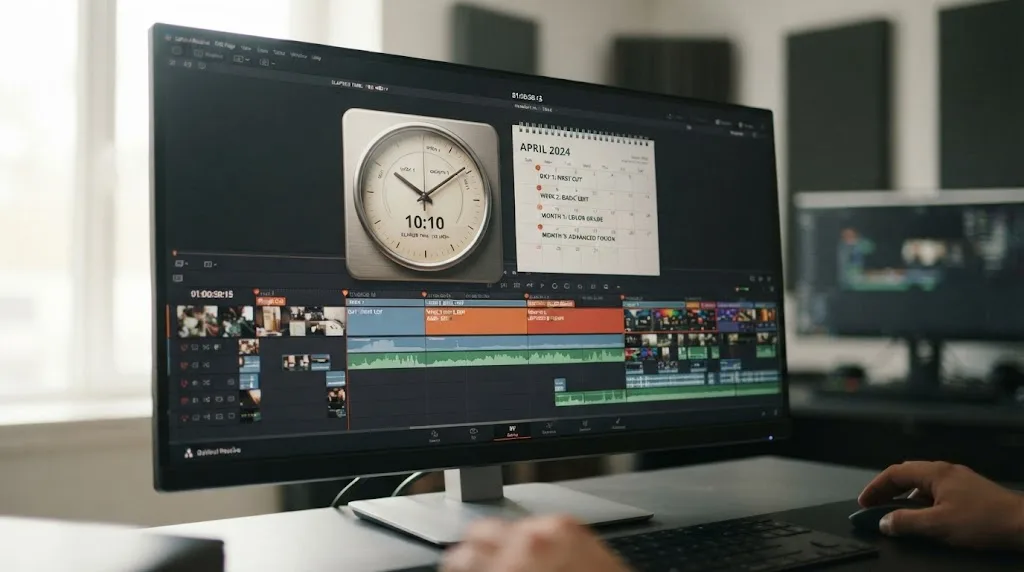
How long does it take to cut a first project in DaVinci Resolve?
An afternoon, realistically. Import footage on the Media page, drag clips onto a timeline in Cut or Edit, trim them into order, and export from Deliver. That's four pages touched, and none of them require color grading, audio mixing, or a single Fusion node.
A finished rough cut in DaVinci Resolve is an afternoon of work, not a semester of study. The part that actually takes time isn't the software, it's the story you're telling with it. Editors who already know another NLE move even faster here, since J-K-L playback and timeline trimming work almost identically to Premiere Pro or Final Cut.
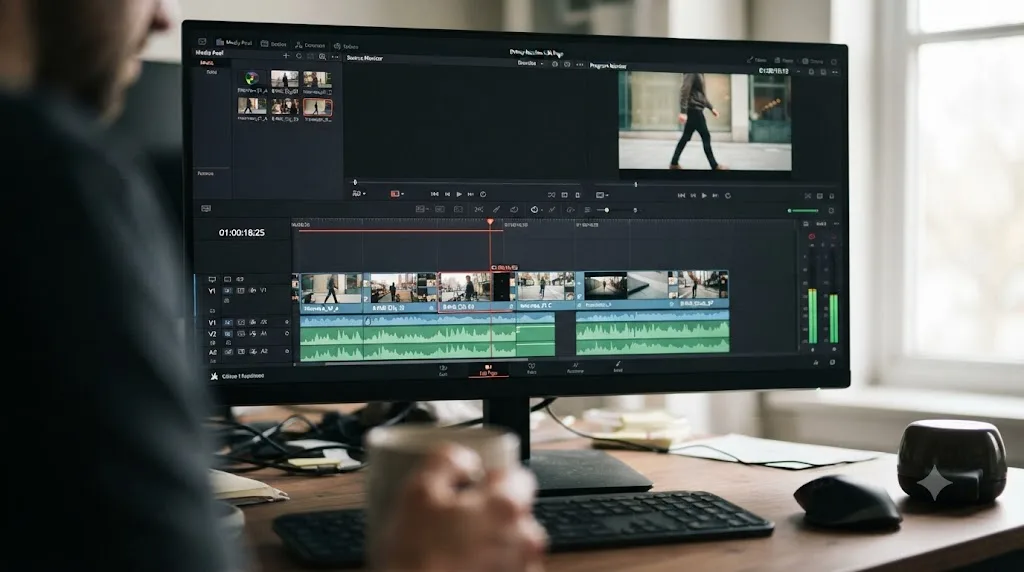
How long does DaVinci Resolve take to learn for each goal?
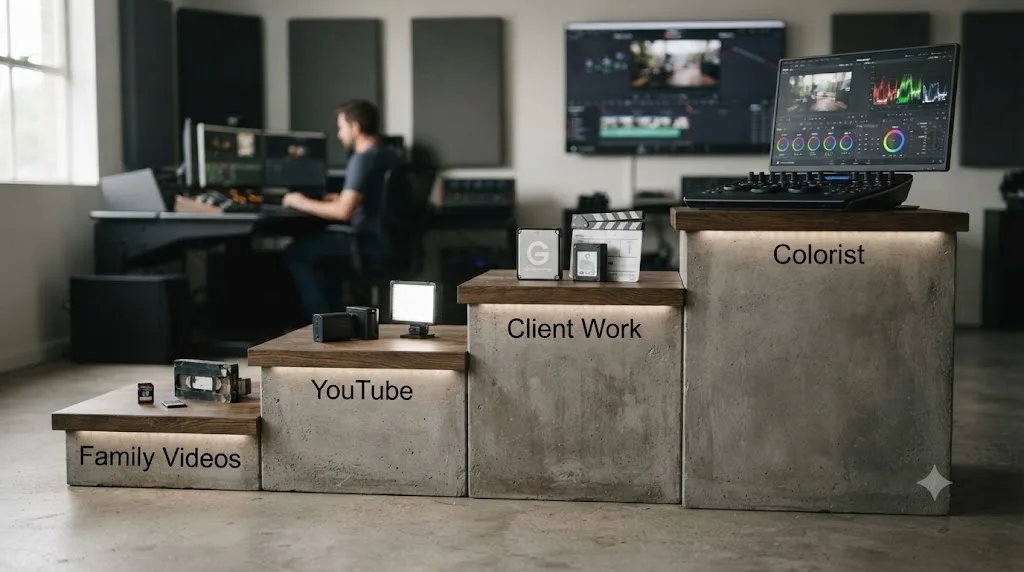
It depends on what "learned" means for you. Cutting a birthday video and sitting in a paid grading session are both "using Resolve," and they're separated by years. So here's the breakdown by destination. These are experience-based ranges, not measured averages, and they assume four to six focused hours a week.
| Your goal | Realistic timeline | What you're actually learning |
|---|---|---|
| Basic cuts for family videos | A weekend to two weeks | Import, trim, music, export |
| YouTube-ready videos | One to two months | Pacing, titles, clean dialogue, a basic grade |
| Paid client work | Three to six months | Delivery specs, revisions, consistency, speed |
| Professional colorist | One to two years, then a career | Scopes, shot matching, node discipline, client sessions |
The jumps between tiers aren't linear, because each tier adds new categories of skill instead of polishing old ones. YouTube work adds sound and design on top of cutting. Client work adds everything the audience never sees: matching a spec you didn't write, surviving round two of revisions, and hitting a deadline twice in a row. Colorist work is a separate craft with its own job title, which should tell you something about its timeline.
The tiers also map cleanly onto Resolve's pages. Family videos need three of them: Media, Edit or Cut, and Deliver. YouTube-ready work adds the front half of Color and the basics of Fairlight. Client work adds media management and Deliver's fussier corners. Only the colorist path demands the deep end of the Color page, and nothing on this list ever requires all of Fusion.
Should you start on the Cut page or the Edit page?
Resolve gives beginners a fork most editors don't face: two editing pages that do overlapping jobs. Which one you pick changes your first two weeks.
The Cut page is the faster ramp. It was built for quick turnarounds, it shows fewer tools, and its dual timeline keeps the whole project visible while you trim. If your goal is family videos, you can live on the Cut page indefinitely and never feel the missing features.
The Edit page is the better investment if you plan to follow courses or tutorials, because that's the page nearly every instructor teaches on. It's the traditional NLE layout, and it's where the deeper trimming tools live.
The good news is that this isn't a real commitment. Clips, timelines, and edits are shared between both pages, so nothing you learn on one is wasted on the other. Pick based on your first project, not your five-year plan.
How long before you're comfortable with Color and Fairlight?
Plan on a few weeks of regular practice, not a weekend. Color grading in Resolve runs on nodes, a visible chain of steps rather than a single stack of sliders, and that structure takes some hands-on repetition before it stops feeling foreign. Fairlight's mixing console looks like it was borrowed from a recording studio because it was, and setting clean dialogue levels, routing buses, and reading a meter correctly is its own small skill.
Color and Fairlight are separate crafts wearing the same interface, and each rewards its own dedicated practice time. Neither one demands months before you're functional, though. A basic exposure-and-contrast grade and a clean dialogue mix are both learnable inside a couple of weeks if you're working on real footage instead of a tutorial's sample project.
If you want the full page-by-page order to learn these in, our DaVinci Resolve tutorial walks through Media, Edit, Color, Fairlight, Fusion, and Deliver in the sequence a real project actually demands.
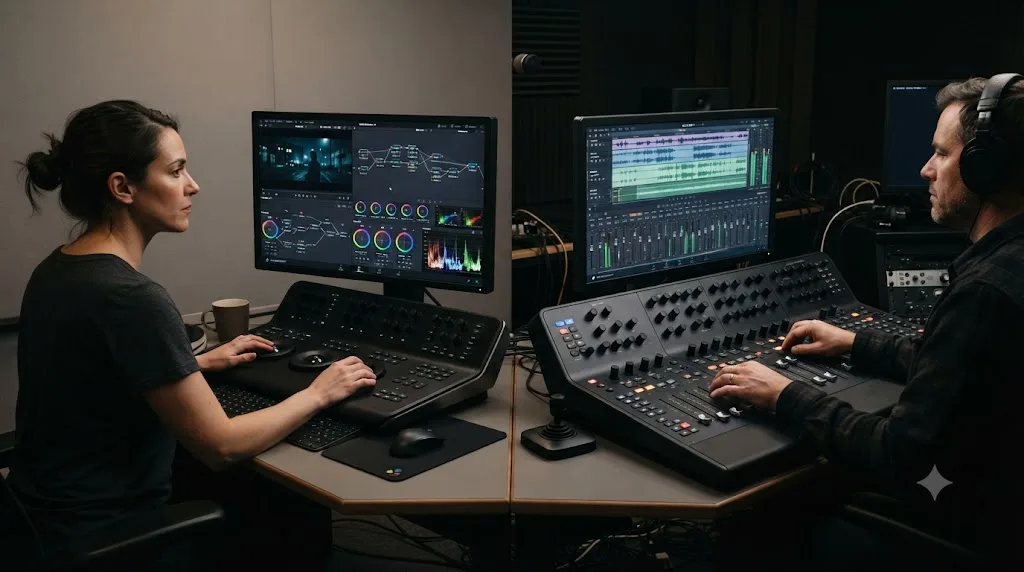
How long does it take to learn Fusion?
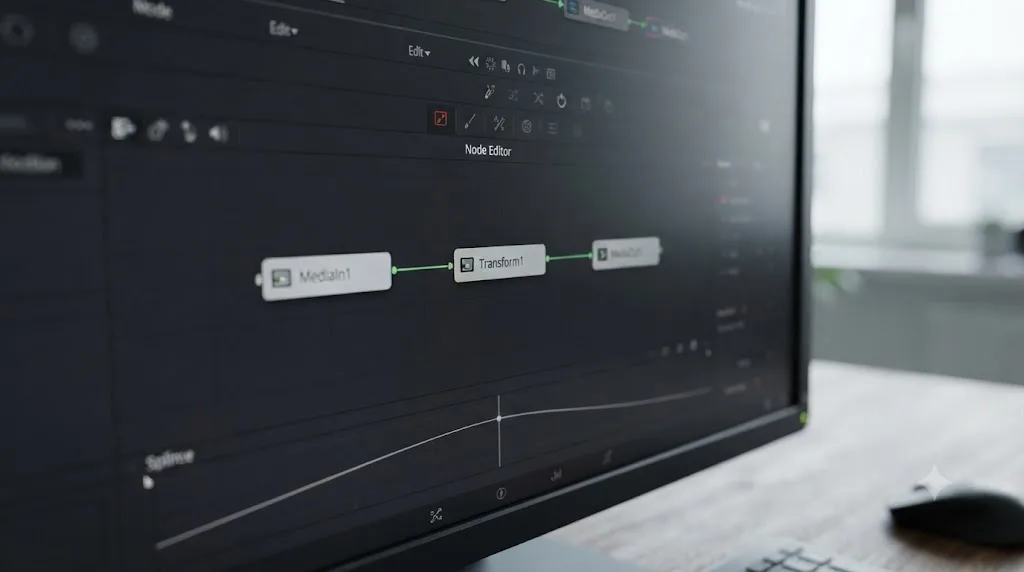
Longer than any other page, usually one to three months before it stops feeling like a separate application bolted onto your editor. Fusion is node-based visual effects and motion graphics, and its flowchart-style logic doesn't resemble a timeline at all. That's the entire reason it intimidates people who are otherwise fluent in Edit and Color.
Fusion is the one page in DaVinci Resolve that behaves like an entirely different program, and it deserves its own learning timeline. The good news: most editors never need its deepest features. A simple title animation or a basic mask usually needs only three or four connected nodes, and that's a fraction of what Fusion is capable of.
Within that one-to-three-month range, the milestones tend to arrive in a consistent order. Animated titles and simple masks come first, usually inside the first couple of weeks. Tracking a graphic to a moving object lands somewhere in the first month. Green-screen keying and anything involving Fusion's 3D system come last, and plenty of editors reasonably stop before either.
Which skills come fast, and which take disproportionately long?
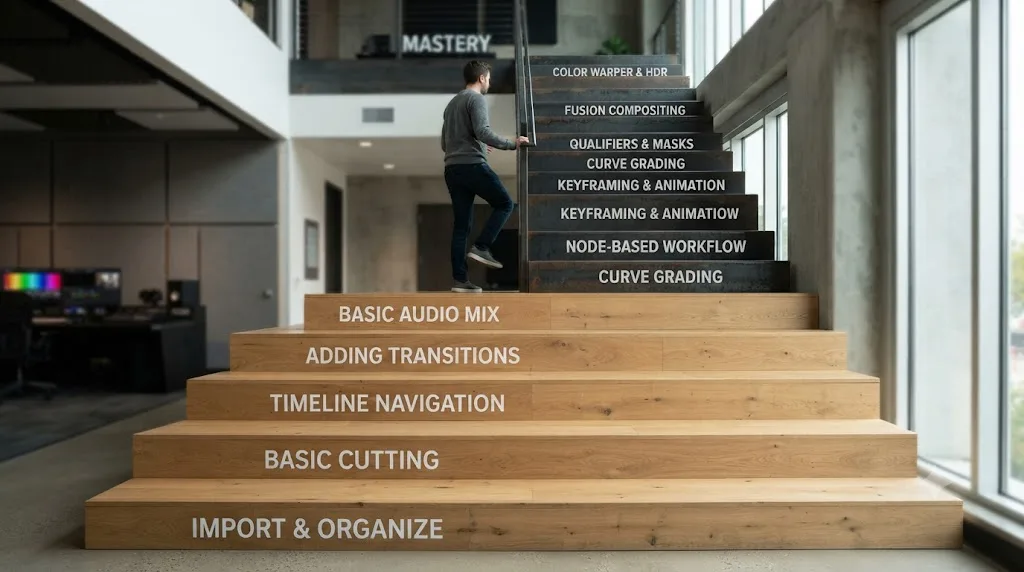
Resolve's learning curve isn't one slope. It's a staircase with a few missing steps. Some skills show up almost immediately and never bother you again. Others resist you for months, and knowing which is which saves you from misreading normal slow progress as personal failure.
| Pace | Skills | Time to functional |
|---|---|---|
| Fast | Trimming, transitions, export presets, basic titles, clip volume | Hours to days |
| Medium | Clean dialogue mixing, keyframed motion, a one-node exposure and contrast grade, proxies and media management | One to three weeks |
| Slow | Shot-to-shot color matching, secondary grading with qualifiers and power windows, Fusion tracking and keying, building a consistent look | Months |
Notice what the bottom row has in common. The slow skills aren't slow because the buttons are hidden. They're slow because they're judgment, not mechanics. Matching two shots from different cameras means seeing a color cast before you can name it, and that eye only develops through volume. The controls in our color grading basics guide take an evening to memorize. Knowing when a grade is done takes months, and no interface redesign will ever change that.
Plan around the split. Front-load the fast skills so projects stop hurting, then accept that the slow skills improve on their own schedule while you keep shipping work that doesn't depend on them yet.
What does a realistic first month look like?
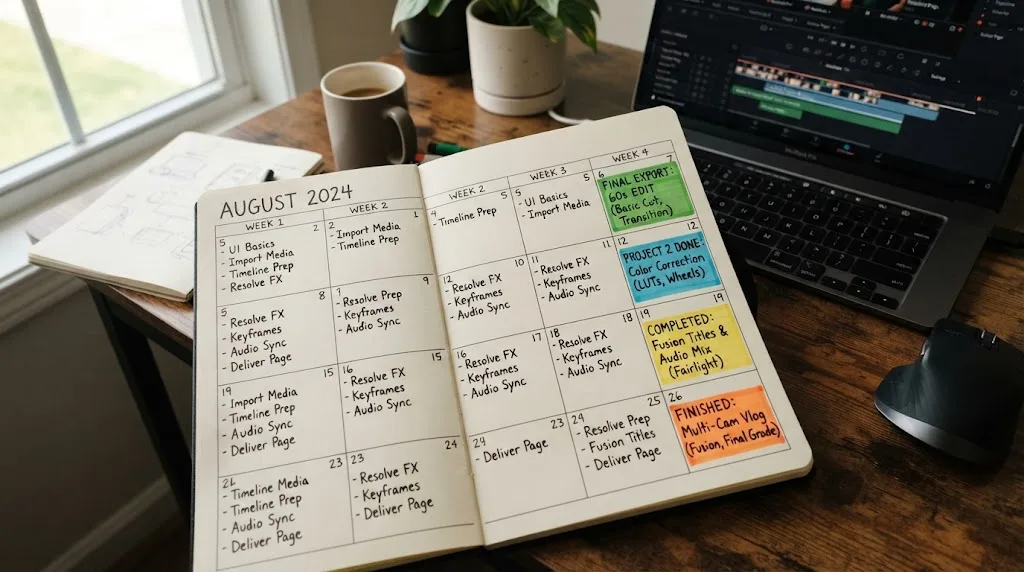
Here's a four-week plan built around one rule: finish something every week. Finished projects are the unit of progress in Resolve, not hours watched.
Week 1: one ugly finished project. Take sixty seconds of phone footage through Media, Edit, and Deliver. Trim clips into order, drop in a music track, export a file that plays. Success this week is an exported file. Quality is next month's problem.
Week 2: the same thing, faster. Cut a second short piece, and learn a keyboard shortcut every time you catch yourself reaching for the mouse. Set dialogue and music levels so one doesn't bury the other. By Friday the interface hunting should be noticeably quieter.
Week 3: your first grade. Open the Color page on last week's cut. One node per clip: fix the white balance, set exposure, add a little contrast. Glance at the waveform on every shot, even if you don't fully trust it yet. Trust comes later; the habit starts now.
Week 4: one complete small project. Cut, title, grade, level pass, export, in that order, aimed at a real destination. Getting the export settings right for the actual platform is part of the skill, not an afterthought.
Just as important is what month one should not include. No plugin packs, no Studio purchase, no Fusion. Those are answers to problems you don't have yet, and every one of them is a detour dressed up as progress.
Weekend-only learners can run the same plan at half speed: one week's step per two weekends, finishing the first month's arc in about eight weeks. The order matters more than the pace.
If your month runs messier than this, fine. The plan isn't sacred. The weekly finished project is.
What do months two and three look like?
Month one ends with a small finished project. Months two and three are where the rows in the goal table start separating, because this is when your practice picks a direction whether you notice or not.
Month two is depth month. On the Color page, move from one node per clip to a small chain: a balance node that fixes the shot, then a look node that styles it. Then try the skill that actually separates tiers, matching two shots from the same scene until a stranger couldn't say where the cut is. In Fairlight, go past levels: a gentle EQ cut on dialogue, a compressor with settings mild enough that you can't hear it working, and your first bus so music and dialogue ride separate faders. And make first contact with Fusion, but keep it to a single lower third built from a Text+ node. One composition, then leave.
Month three is consistency month. The question shifts from "can you do it once" to "can you do it every time," which is a different muscle. Grade a ten-clip sequence until it reads as one scene. Cut three videos with the same structure and check whether the third takes half the time the first did. If you're aiming at the client-work tier, impose a fake spec on yourself: a hard duration limit, a required export format, and a revision pass you force on the project a full day later, when you've stopped being in love with it.
By the end of month three, a YouTube-ready workflow should feel routine and the client tier should look like a road rather than a wall. That lines up with the one-to-two-month and three-to-six-month rows in the goal table, with the standing caveat: these are ranges from watching people learn, not measurements.
Where do people plateau, and how long does each plateau last?
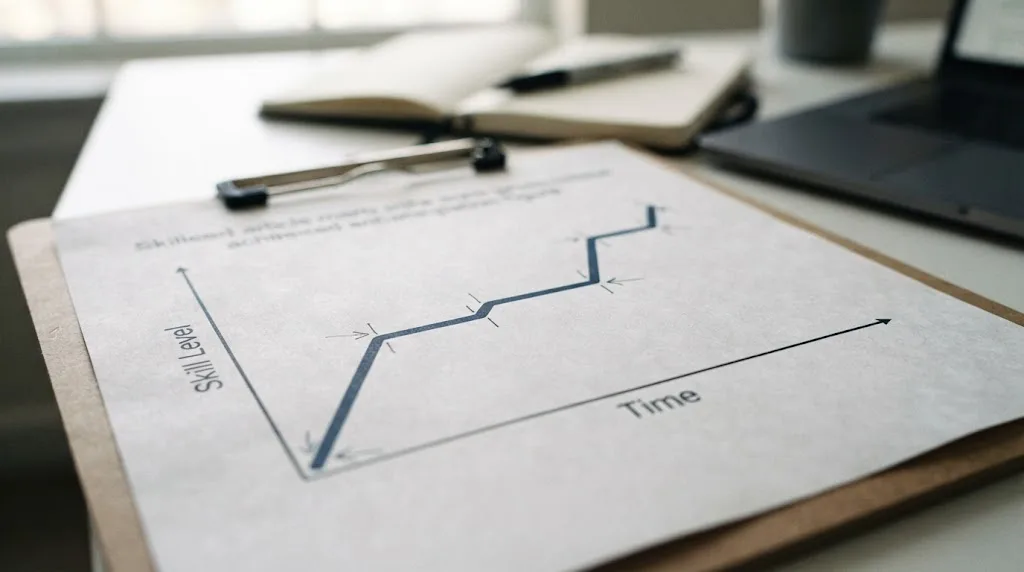
Progress in Resolve isn't steady. It stalls in predictable places, and knowing the stall points ahead of time turns "I'm bad at this" into "I'm on schedule." The durations below are what I've seen with steady weekly practice, so treat them as ranges, not deadlines.
- The hunting plateau, roughly the first two weeks. You know exactly what you want to do and can't find the control that does it. This one breaks on its own through repetition, and a printed shortcut list breaks it faster.
- The choppy-cut plateau, somewhere in weeks three to eight. Your hands work, and your edits still feel off, because your taste has outrun what your technique can deliver. Break it deliberately: pick thirty seconds from an editor you admire, recreate the sequence cut for cut, then compare the two and name every difference.
- The over-grading plateau, common in months two to four. Early grades are too much of everything: crushed blacks, glowing skin, saturation turned up like volume. It breaks when you start grading toward a reference still and checking the scopes, instead of asking whether the image looks more cinematic than it did a minute ago.
- The Fusion wall, whenever you first open the page. This one isn't time-based. It hits the day you arrive, and it breaks the same way for everyone: rebuild trivial three-node compositions until the left-to-right flow stops feeling alien. For most people that's a few dedicated weekends, not the months of dread the page's reputation suggests.
Two more plateaus show up later, and they're worth knowing about even though they're months away. The everything-slowly plateau tends to arrive around months four to six: you can produce good work, and it takes three times longer than it should. More tutorials won't break it, because it isn't a knowledge gap. Speed work breaks it, and there's a whole section on that further down.
The last one is the feedback plateau, and it's the only plateau that can hold you forever. Past a certain point you cannot see your own weaknesses, because the same taste that makes your work is the taste judging it. It breaks the day you start showing unfinished work to people who owe you nothing: a client, a collaborator, a forum full of strangers. Sooner is better, and sooner always feels too soon.
Does prior editing experience shorten the timeline?
Partially. If you've cut video in Premiere Pro, Final Cut, or any other NLE, the Edit page will feel familiar within an hour, not a week. Trimming, playback controls, and timeline logic transfer almost directly.
Color and Fusion transfer less, because node-based grading and node-based compositing aren't things most editors have touched before, no matter which app they came from. A ten-year Premiere veteran and a total beginner start Fusion from close to the same place.
Photographers are the case nobody mentions, and they get the opposite head start. If you're fluent in Lightroom, the Color page will feel surprisingly like home. You already read a histogram, correct white balance, and think in exposure, contrast, and color balance, so curves and the primary wheels click within a session or two. What you're missing is time: pacing, rhythm, and cutting on motion don't exist in stills work. Expect a strange first month where your grades outclass your edits.
| Background | Edit page | Color page | Fusion |
|---|---|---|---|
| Premiere or Final Cut switcher | Comfortable in hours | Weeks, nodes are new | Months, same start as everyone |
| Total beginner | One to two weeks | Several weeks | Months |
| Photographer fluent in Lightroom | One to two weeks | Faster than most, the eye transfers | Months |
What if you're coming from After Effects, a DAW, or CapCut?
The Premiere and Lightroom cases cover the common switchers. Three other backgrounds change the curve in ways worth naming, because each one flips a different part of the standard timeline.
After Effects and motion design people get the strangest deal in the whole app. Fusion, the page that intimidates everyone else, is conceptually your fastest page: keyframes, masks, trackers, and compositing logic all transfer. What doesn't transfer is notation. The node graph replaces the layer stack, and that swap costs a couple of weeks of genuine discomfort while your instincts fire at the wrong interface. But you're relearning how to write, not what to say. Anyone arriving from Nuke skips even the discomfort, since Nuke is node-based too.
Musicians and podcasters who know a DAW walk into Fairlight already fluent. Buses, sends, EQ, compression, and automation all behave the way you expect, because Fairlight genuinely is a digital audio workstation living inside an editor. Your gap is the same one photographers have, just mirrored: the picture skills. Expect your mixes to embarrass your cuts for a month or two.
CapCut and iMovie editors carry real transferable instincts, trimming, pacing, cutting to music, and one expectation that needs resetting: speed. Mobile editors are used to a shareable result in twenty minutes. Resolve's payoff curve is slower and much higher, and the first two weeks will feel like a downgrade before they feel like power. Knowing that in advance is most of the cure.
And if you've never used creative software at all, add a week or two to the front of every estimate for pure interface literacy: panels, workspaces, right-click menus, the idea that windows rearrange themselves per page. That's the whole penalty. Total beginners regularly catch experienced switchers by month two, for a simple reason: they have no old habits to unlearn.
| Coming from | Your head start | Your gap |
|---|---|---|
| After Effects or Nuke | Fusion concepts, keyframes, tracking | Node notation, editorial pacing |
| A DAW like Logic or Pro Tools | Fairlight, mixing, routing | Everything visual |
| CapCut or iMovie | Cutting instincts, pacing | Depth, and patience with a slower payoff curve |
| No creative software at all | No habits to unlearn | One to two weeks of interface literacy |
Is DaVinci Resolve actually harder to learn than Premiere Pro or Final Cut?
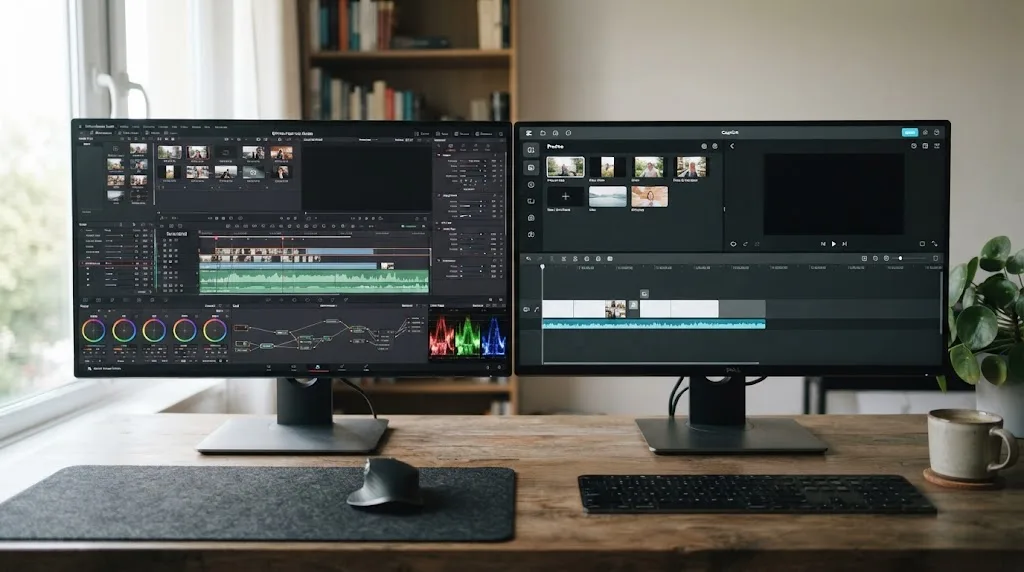
Only past the basics. The core act of cutting a timeline is comparable in difficulty across all three. Resolve's reputation for a steeper curve comes from everything else it packs in: a full node-based color suite and a node-based compositor, neither of which exists in the same form inside Premiere Pro or Final Cut.
Jourdan Aldredge, writing for No Film School, put the first impression plainly:
"getting started with Blackmagic Design's DaVinci Resolve can be a bit intimidating."
That's an honest description of the interface on day one, not a verdict on how long the software actually takes to learn. The density is real. The difficulty of any single page, taken on its own, usually isn't.
Does the footage you learn on change the curve?
More than your choice of tutorial does. Three footage situations teach different lessons at different speeds, and one of them quietly sabotages beginners who weren't warned.
Phone footage is the right starting material for reasons that have nothing to do with quality: it's plentiful, it's yours, and you care how it turns out. One technical footnote comes with it. Modern phones record in H.265, a format built to be small in storage and heavy in playback, so a stuttering timeline on phone clips is normal, not a verdict on your laptop. Generate proxies and move on.
Log footage from a real camera introduces the single most confusing moment in a beginner's color journey: clips that look flat, gray, and washed out on purpose. Log profiles trade a pleasant image for extra dynamic range, and they wait for a conversion or a grade before they look like anything. Beginners who don't know this spend their first session convinced the camera, the import, or their own eyes are broken.
Log footage looks washed out by design, and discovering why is a rite of passage in learning DaVinci Resolve.
Mixed-camera footage is the graduate course, and eventually the fastest teacher in the building. Matching a phone clip to a mirrorless clip to a drone clip forces every color skill you have to show up at once. Before month three it mostly teaches frustration. After month three it compresses more learning into one project than a dozen single-camera edits.
How many hours a week actually matter?
Fewer than you'd guess, arranged better than most people arrange them. Three ninety-minute sessions beat one seven-hour Saturday, because skills consolidate between sessions and a week-long gap charges a relearning tax every time you come back.
| Weekly practice | What to expect |
|---|---|
| Under 2 hours | Real progress, but slow enough that each session starts with re-finding things. Roughly double every estimate in this post. |
| 4 to 6 hours | The pace every range in this post assumes. Enough repetition for skills to stick between sessions. |
| 10 or more hours | Compresses the early calendar, then hits diminishing returns unless the extra hours go into real projects with real problems. |
Daily practice in small doses works too. Thirty minutes every evening lands in the same band as the ninety-minute sessions, and for shortcut fluency it's arguably better, since recall gets tested more often.
If you'd rather think in totals than weeks, the functional basics have tended to arrive somewhere inside the first 20 to 40 hands-on hours for the people I've watched learn. Treat that as an observation, not a promise, and remember the goal-table ranges assume those hours land weekly rather than in one heroic binge.
One more distinction matters as much as the total. An hour inside Resolve with your own footage is not equal to an hour watching editing videos at double speed, because only one of them makes you decide anything. Which brings up the tutorial problem.
Which practice methods actually compress the timeline?
Start with the trap. Follow-along tutorials feel like practice, and mostly they aren't, because you're executing someone else's decisions with the answer on screen the whole time. That's recognition. Editing is recall. The gap between those two is why someone can finish thirty tutorials and still freeze in front of an empty timeline.
Editing real projects builds DaVinci Resolve skill faster than following tutorials, because recalling a step teaches more than repeating one.
Four methods that put recall back in charge:
- Watch once, then rebuild from memory. Close the video before you open Resolve. Struggling to remember the step is the practice, not an obstacle to it.
- Cut footage you actually care about. Your kid's game, your own trip, your friend's band. Caring about the outcome is what makes the lesson stick.
- Run one-constraint drills. Cut a sixty-second piece using only the Cut page. Grade ten clips to match a single reference frame. A constraint isolates one skill and forces reps on it.
- Re-edit an old project cold, a month later. The gap between the two versions is the most honest progress report you'll ever get.
None of this makes courses useless. A good course is a map of what exists, and a bad substitute for reps. Our guide to the best DaVinci Resolve courses flags which ones are built around projects instead of lecture hours.
What does a productive practice session look like?
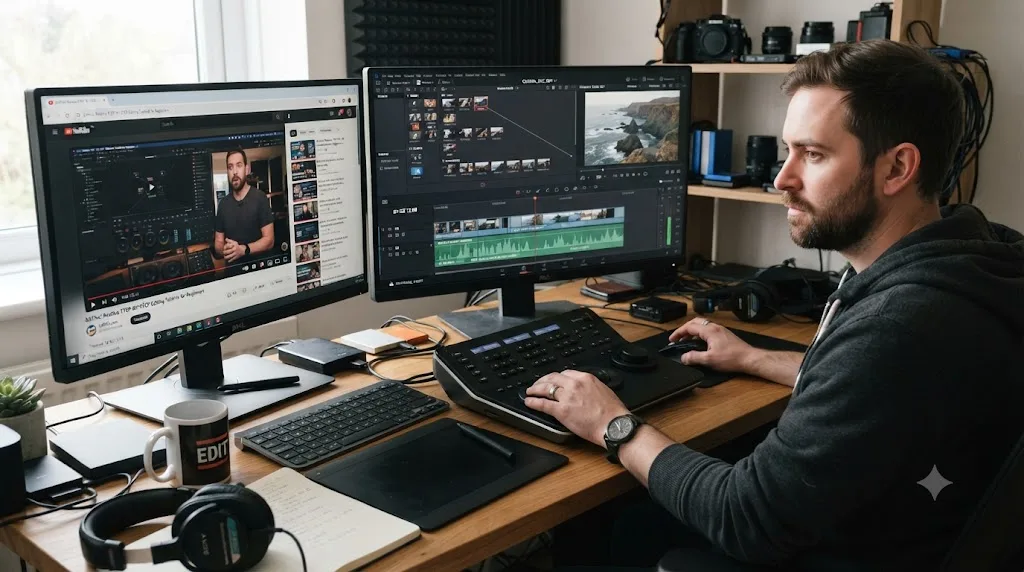
The ninety minutes that actually move you forward have a shape, and it isn't ninety straight minutes of editing.
Spend the first ten on a warm-up you already know: re-trim yesterday's scene, or run your shortcut list at speed. This isn't ritual for its own sake. It loads the interface back into your hands before the real work starts, which is exactly the relearning tax the last section warned about, paid deliberately and cheaply.
Spend the next sixty on the week's project with the tutorials closed. This is the block everything else protects.
Spend fifteen on one targeted drill, aimed at whatever annoyed you most last session. Trims that never land on the beat, a mask that wobbles, a grade that drifts shot to shot. The drill block is where plateaus actually break, because projects let you route around a weakness and drills refuse to.
Spend the last five writing down where you got stuck, in a running note you keep forever. Tomorrow that note converts "where was I" into a running start, and after a month it becomes a private map of your own weak spots.
The structure matters most when hours are scarce. With fifteen hours a week you can afford to wander. With three, an unstructured session quietly becomes an hour of adjusting a title, and the week is gone.
How long until you're fast, not just competent?
They're separate timelines, and nobody warns you about the second one. Competence means the result is good. Speed means the result is good on a deadline, and the gap between them is measured in months, not days. Your first YouTube-length video can easily swallow ten times the hours the same video will take you a year later, and that's a normal ratio, not a talent problem.
In my experience the competence-to-speed gap takes roughly as long as the original climb: if YouTube-ready competence took you two months, expect a few more before you're quick at it. Speed comes from five specific places, none of which is talent.
- Keyboard-first editing. Every trip to a menu is seconds, and a project is thousands of trips.
- Presets and templates. Export presets, title templates, saved grades you can reapply, a project template with your bin structure already built. Every one of them converts a decision you've already made into a thing you never decide again.
- Reusable assets. Intros, watermarks, sound effects, and music beds stored where every project can reach them, so project two starts where project one ended.
- Decision speed. The big one. Slow editors usually aren't slow at trimming. They're slow at choosing, re-choosing, and un-choosing. The cure is the revision-pass habit: make the fast choice now, and schedule the second-guessing for a deliberate later pass instead of letting it interrupt every cut.
- Batch thinking. Grade by scene, not by clip. Mix by track, not by clip. Doing one kind of decision many times in a row is dramatically faster than switching modes every thirty seconds.
None of this is worth practicing in month one, which is why the first-month plan doesn't mention it. It's exactly what months four to six are for, when the everything-slowly plateau shows up on schedule.
What can you safely skip learning entirely?
A lot more than the interface suggests. Resolve's feature list is two decades of professional requests stacked into one window, and most of it was never aimed at you.
You can deliver professional work in DaVinci Resolve without ever touching Fusion's 3D system, ACES color management, or the scripting API.
Safe skips for almost everyone below the colorist tier: Fusion's 3D and particle systems, color-managed pipelines like ACES until a client contractually demands one, Fairlight's immersive and surround formats, the scripting layer, hardware control panels, the multi-user collaboration tools built for studios, and HDR delivery until someone is paying for HDR. Skipping these isn't a compromise. It's what most working editors already do.
The list of things beginners skip but shouldn't is much shorter: media management, proxies, and backups. Folder discipline feels like homework until the first time a moved folder takes a whole project offline. Proxies feel optional until playback convinces you that you're bad at editing. Backups feel paranoid exactly once. None of the three takes more than an evening to learn, and all three refund that evening many times over.
The real skill here isn't knowing everything in the window. It's knowing which unknowns are safe to leave unknown, and that judgment alone probably cuts a month of wandering off a self-taught timeline.
Does buying Studio make you learn faster?
No. It changes what you can do, not how fast you learn to do it.
Every skill on the DaVinci Resolve learning path is available in the free version; the Studio upgrade adds features, not speed.
The free version includes the full Edit and Cut pages, the complete node-based Color page, Fairlight, and Fusion, which is the entire curriculum this post has been describing. The $295 Studio version adds tools on top: Magic Mask, noise reduction, AI-assisted audio processing, more effects, and higher-end delivery options. Useful, sometimes decisive for paid work. Irrelevant to how quickly nodes start making sense.
So buy Studio when a project needs a Studio feature, not as a learning accelerator. The one practical nuance: some heavier codecs decode faster in Studio on some systems, but proxies solve the same playback problem for free, and you should learn proxies anyway.
Do version updates reset your progress?
No, and this worry keeps more people waiting on the sidelines than it should. Resolve gets a major version roughly once a year, and the fundamentals have outlived every one of them. Timeline editing, nodes on the Color page, the Fairlight mixer, Fusion's flow: the mental models you're building have been stable across many versions, and they're the expensive part of learning. Buttons move occasionally. Concepts don't.
The practical consequences run in your favor twice. First, a good course or tutorial recorded two versions ago still teaches the right ideas, so don't discard one over old screenshots. Second, there's no reason to wait for the next version before starting, because next year's Resolve will reward exactly the skills you build in this year's.
Each release also adds features rather than rearranging the floor plan, which means your learning debt doesn't grow with the changelog. New tools land as optional extras, and you can evaluate them from a position of competence instead of relearning your way back to zero.
Do the AI tools change how long this takes?
They compress specific tasks, not the learning itself. Magic Mask turns manual rotoscoping, one of the genuinely slow crafts in this app, into supervision. Voice isolation rescues dialogue that once demanded real EQ and noise-reduction skill. Automatic transcription makes interview editing feel like editing a document.
For a learner, that moves a few skills from must-learn to optional, manual roto being the clearest case. What it doesn't touch is judgment. The AI will happily produce a mask, and you still need to know what a clean mask looks like to catch it failing on frame 200. It will isolate a voice, and you still need ears that notice when the result sounds processed. Supervising a tool requires most of the taste the tool was supposed to replace.
Two honest caveats. Several of these features, Magic Mask included, live in Studio, not the free version. And their effect on the goal table is lopsided: modest at the family-video tier, where none of them were needed anyway, and genuinely meaningful at the client tier, where an afternoon of roto becoming twenty minutes changes what a day rate covers.
Does official training or certification speed things up?
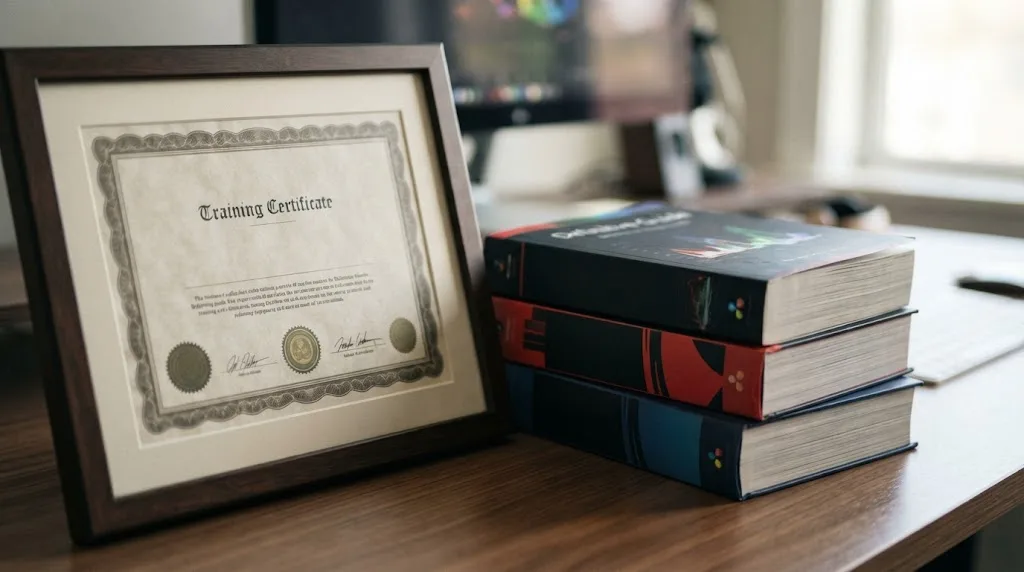
It can, if you're learning for paid work rather than a single personal project. Blackmagic Design runs its own training network directly: more than 250 certified trainers and over 100 training centers worldwide, according to its official training page, with free certification exams covering editing, color, Fairlight audio, and Fusion as separate tracks.
The same page offers six official training books as free PDF downloads, each with downloadable lesson files and its own online exam: a beginner's guide, an editor's guide, a Fairlight audio guide, a colorist guide, and two visual effects guides. Look at that lineup for a second, because it confirms the premise of this whole post. Blackmagic itself splits Resolve education by role, editor, colorist, audio, effects, and nobody is expected to work through all six books. The company that built the software doesn't treat "learning Resolve" as one timeline either.
Structured courses give you a rough sense of scale too. LinkedIn Learning's "DaVinci Resolve Fundamentals" course, taught by colorist Patrick Inhofer, runs 6 hours 50 minutes across setup, media organization, editing, color, Fairlight, and delivery, which roughly matches the "a few weeks of focused study" range this post has been describing. Blackmagic's own documentation has run just as long in the other direction. When the company shipped its free beginner's guide for Resolve 16, No Film School reported it ran 444 pages, covering the software cover to cover rather than just the fast path to a first export.
None of that reading or coursework is required to finish a real project. It's there for the version of "learning Resolve" that means becoming a working editor or colorist, not just cutting your first video.
How long until you're employable?
Depends on the lane, and on what "employable" gates in each one.
For freelance editing, the gate is a portfolio, not a certificate. Three finished pieces in the style of work you want to be hired for is the practical minimum: not your three best experiments, three pieces a stranger could mistake for delivered client work. At steady part-time practice that's realistic somewhere around months four to six, which is why the client-work row in the goal table reads three to six months. Your first clients will tolerate slow far better than sloppy, so competence gates entry and speed decides whether the work pays enough per hour to keep doing.
For staff and junior roles, the honest answer is that requirements vary by shop. Some postings name Resolve, plenty still name Premiere or Avid, and no blog can tell you which your local market prefers. Check the actual listings where you live before assuming Resolve alone is the ticket. What transfers regardless is NLE fluency itself: a hiring editor watching you cut can tell within minutes whether the timeline is a native language or a second one, and that fluency is exactly what the months of weekly projects build.
For colorist work, the timeline is the long row in the table, and the entry path usually runs through adjacent work rather than a straight application: editing jobs where your grades stand out, finishing and conform work, assisting an established colorist. This is also the lane where the certification exams from the previous section carry the most weight, since color is the discipline Blackmagic's name is attached to.
One warning that applies to every lane: don't confuse the employability timeline with the skill timeline. People routinely reach hireable skill and then wait, polishing quietly, because no milestone announces that they're ready. The portfolio test above is that milestone. When three pieces pass it, start applying while you keep practicing, not after.
How much learning time will technical problems eat?
More than any course admits, and budgeting for it up front protects your morale. In the early months, expect something like one hour in five to go to problems that aren't skills at all: media that shows up offline after you reorganize a folder, a timeline that stutters, an export that fails near the end, the occasional crash. That ratio is an observation from watching beginners, not a law, and it drops fast once your habits settle.
Prevention is boring and absurdly effective, and it's the same three habits from the skip-list section doing the work. Keep media in one folder structure and never move it mid-project, and the media-offline hour mostly disappears. Generate proxies, and the playback hour disappears. Leave live save and project backups on, and a crash costs minutes instead of an evening.
The subtler skill is diagnosis: learning to tell a you-problem from a machine-problem. A stuttering timeline reads as personal failure and almost never is. A washed-out image reads as a broken import and is usually a log profile doing its job. Every hour you spend blaming yourself for a technical problem is an hour subtracted from actual learning, which is how technical problems quietly stretch timelines that had nothing wrong with them.
How do you know when you're good enough to stop worrying?
"Good enough" has a concrete test at every tier, and none of the tests mention hours logged or months elapsed.
| Goal | You're there when |
|---|---|
| Family videos | You go from memory card to shared video in one sitting without searching for how to do anything |
| YouTube-ready | Cuts land where you intended, dialogue sits at one consistent level, and three uploads in a row look like the same channel |
| Paid client work | You can hit a delivery spec you didn't write, then survive round-two revisions without breaking the project |
| Professional colorist | You can pull mixed-camera footage into one coherent look and defend every decision from the scopes |
The common thread is reliability, not brilliance. Good enough means the result stops being a surprise.
Chasing the tier above your actual goal is also the quietest way people stretch their own timeline. If nobody's paying you yet, delivery-spec fluency can wait, and skipping it isn't cutting corners. It's aiming.
What actually slows people down while learning DaVinci Resolve?
Usually not the software itself. The timelines above assume steady practice, and steady practice is the part most people skip.
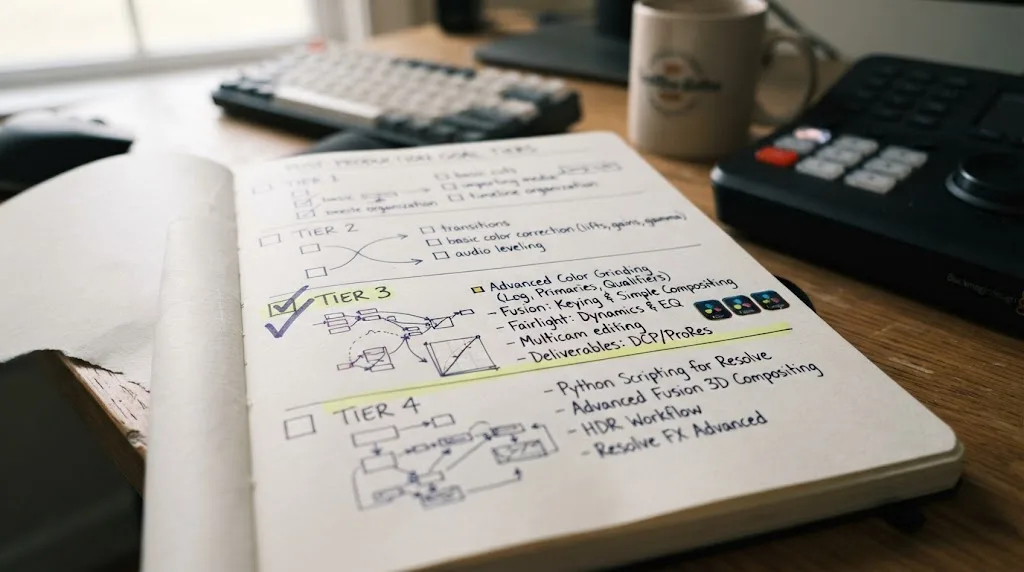
- Trying to learn all seven pages before touching a real project. Media, Cut or Edit, and Deliver are enough to finish something. Everything else is refinement you add when a project asks for it, not a checklist to clear first.
- Guessing instead of looking things up. A wrong setting three steps back can cost an hour of confused troubleshooting. The fastest learners look up the exact control the moment they're stuck.
- Skipping proxies on heavy camera footage. A stuttering timeline on a modest laptop looks like a Resolve problem. It's usually a missing proxy.
Our beginner's guide to DaVinci Resolve covers the setup side of this in more depth, including the RAM and GPU minimums that determine whether your machine is even part of the problem.
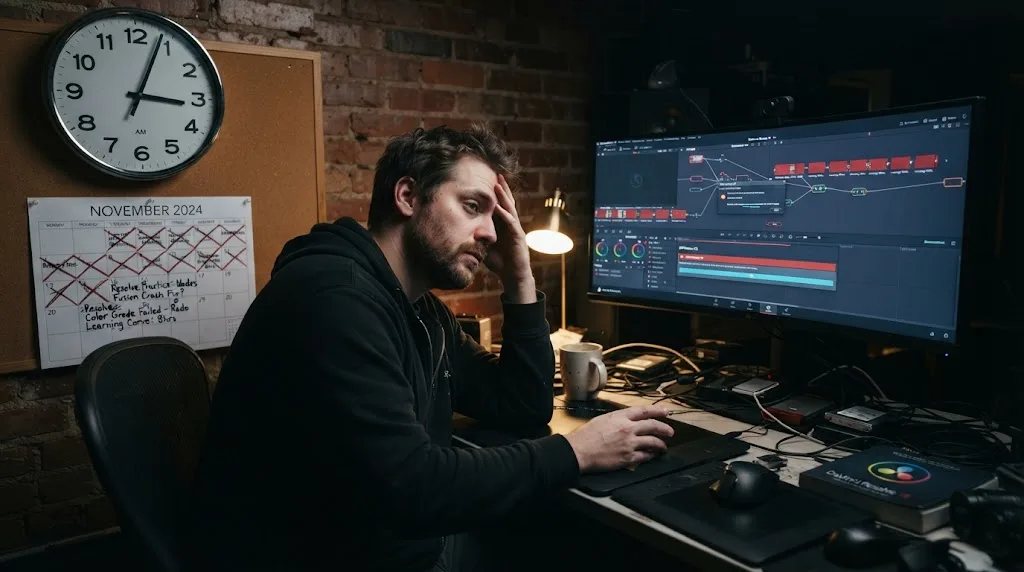
What's the fastest way to close the gap once you're stuck?
Look the answer up immediately instead of guessing your way past it. That habit matters more than talent or hours logged, because Resolve rewards precision and punishes the workaround you'll forget you made.
Some of that is a documentation problem more than a skill problem: knowing that a setting exists is different from knowing where Blackmagic buried it in your specific version. Tools like TryUncle exist for exactly that gap, an AI tutor that looks at your actual Resolve window and points at the control instead of sending you to a ten-minute video for a two-second answer. Whether you use something like that or just keep Blackmagic's own manual open in a tab, the underlying habit is the same.
What does the whole first year look like from above?
Zoom all the way out and a steady part-timer's first year falls into four phases, each with its own job.
Months one to three are mechanics: the first-month plan, then the depth-and-consistency work of months two and three. The goal is a finished project every week and a workflow that stops surprising you.
Months three to six are consistency and speed. This is where the client-work threshold sits for most steady practicers, where the everything-slowly plateau arrives on schedule, and where presets, templates, and decision speed start paying rent.
Months six to nine bring specialization pressure, and it arrives on its own. Notice which page you drift toward when no project demands anything: that drift is data. Editors, colorists, audio people, and motion designers all run the same application, and somewhere around this stretch they quietly stop learning the same application. Choosing a lane on purpose beats discovering one by accident.
Months nine to twelve are depth in the lane you chose, plus the feedback plateau from earlier in this post, which is best broken now rather than later. Show work to strangers. Take a small job slightly before you feel ready.
A year of that, at the four-to-six weekly hours this post keeps assuming, tends to produce someone dependable for paid work in one lane and functional everywhere else. Not a master. The colorist row of the goal table is still mostly ahead, and that's the honest version no course title will print.
So, how long will it actually take you?
An afternoon for a finished rough cut. A few weeks for Color and Fairlight to feel natural. One to three months before Fusion stops feeling like a second application you're borrowing. None of that requires the $295 Studio upgrade, and none of it requires clearing all seven pages before you're allowed to call a project done.
Pick the layer you actually need this week, not the whole stack. If that's a basic edit, you can be done by tonight. If it's a professional grade or a Fusion composite, give it the month it deserves and don't measure yourself against the afternoon it took to cut your first timeline.
And if your goal sits higher up the table, client work or a colorist chair, measure in months and years, keep finishing one project a week, and be suspicious of anyone who promises a shortcut.
Frequently asked questions
- How long does it take to learn DaVinci Resolve?
- A few hours to cut and export a basic project, a few weeks for Color and Fairlight, one to three months for Fusion. By goal, in my experience: basic family-video cuts take a weekend to two weeks, YouTube-ready work takes one to two months, and paid client work takes three to six months of steady practice. Professional color grading is a multi-year craft.
- Is DaVinci Resolve harder to learn than Premiere Pro or Final Cut?
- The basic cutting tools are comparable in difficulty across all three. Resolve's reputation for a steeper curve comes from everything past editing: node-based color grading and Fusion's compositing model don't exist in the same form in Premiere Pro or Final Cut, so there's more surface area to learn if you want the whole app, not just the timeline.
- Do you need to learn Fusion and Fairlight to be proficient in DaVinci Resolve?
- No. A complete, exportable project only requires the Media, Cut or Edit, and Deliver pages. Fusion and deep Fairlight mixing are specialist skills that plenty of working editors never touch, because plenty of projects never ask for a composite effect or a multi-track dialogue clean-up.
- Does prior editing experience make DaVinci Resolve faster to learn?
- Yes, for the Edit page specifically. J-K-L playback, trimming, and timeline logic transfer almost directly from Premiere Pro, Final Cut, or any other NLE. Color and Fusion transfer less, since node-based grading and compositing are new to most editors. Photographers who know Lightroom get the opposite head start: the grading eye transfers to the Color page even though timeline skills don't.
- Is DaVinci Resolve certification worth the time it takes?
- It's worth it if you're learning Resolve for paid work, not just a personal project. Blackmagic Design's certification exams for editing, color, Fairlight, and Fusion are free to take through its own training network, so the only cost is the study time, and a vendor-issued certification reads better on a resume line than a list of tutorials watched.
- What's the fastest way to get unstuck while learning DaVinci Resolve?
- Look up the specific control the moment you get stuck, instead of guessing or abandoning the project. A single wrong setting three steps back can cost an hour of confused troubleshooting later, and that lost hour is what actually stretches a learning timeline, not the software's inherent difficulty.
Sources
- DaVinci Resolve - Training (Blackmagic Design)
- No Film School: Blackmagic's Free, 444-Page Guide to DaVinci Resolve 16 Is Here
- No Film School: Level Up Your Editing Skills With Blackmagic's Beginner's Guide to DaVinci Resolve 19 (Jourdan Aldredge)
- LinkedIn Learning: DaVinci Resolve Fundamentals (Patrick Inhofer)
- DaVinci Resolve product page (free vs Studio)
Learn by doing, not watching
Learn Resolve inside Resolve.
TryUncle watches your screen and points at the exact control when you ask. No tabs, no timestamps, no rewatching tutorials.
Download free for MacKeep reading
Guides · Jul 7, 2026 · 32 min
DaVinci Resolve for Beginners: The Complete Starter Guide
Learn DaVinci Resolve from zero: what it costs, what it needs to run, the seven pages you'll actually use, and the steps to cut your first project.
Guides · Jul 7, 2026 · 36 min
DaVinci Resolve Tutorial: The Complete Guide to Every Page
Learn DaVinci Resolve step by step: which page to start on, how to cut, grade, mix, and export your first project, plus shortcuts and free training.
Reviews · Jul 7, 2026 · 22 min
DaVinci Resolve 21 Review: What's New and Is It Worth Upgrading?
A close look at DaVinci Resolve 21: the new Photo page, IntelliSearch, CineFocus, Krokodove, what Blackmagic actually shipped, and who should upgrade now.